
A transfer certificate, or TC, is the record a student carries from one school to the next. The new school reads it at admission, so a wrong date of birth, a missing result or a TC number used twice causes trouble for the family weeks later. Most mistakes happen when the office is in a hurry in April and May. This checklist covers the steps that keep every TC right, and it works whichever software your school uses.
1. Know what a TC contains
Schools affiliated to CBSE follow the board's TC format, and other boards ask for much the same details. A TC usually records:
- The student's name, the parents' names, nationality and category.
- The date of first admission with its class, and the date of birth in figures and in words.
- The class last studied, the last annual examination and its result, and the subjects studied.
- Whether the student qualified for promotion, and the month up to which school dues were paid.
- Total working days and days present, any fee concession, NCC or scouts, games and general conduct.
- The date of application, the date of issue and the reason for leaving.
2. Take a written request
Ask the parent for the reason for leaving and the last day the child will attend. Note the date the request came in: the TC records the date of application, and the parent will ask when it will be ready.
3. Mark the student as leaving first
Record the last day and the reason in the admission register before the TC is written, never after. A TC should only exist for a student who has left, and only one TC should be current for a student at a time.
4. Check the record line by line
- Match the date of birth with the admission register, in figures and in words.
- Take working days and days present from the attendance register up to the last day.
- Take the last result from the exam records, not from memory.
- Check the fee record for the month up to which dues were paid, and any concession.
- Ask the library and the class teacher whether books or school property are still with the student.
5. Number every TC in one series
Give TC numbers in order from one series, for example by academic year, and never give a number twice, even when a TC is cancelled. Keep a register with the number, the student, the date of issue and who issued it. When you change books or move to software, carry on from the last number used.
6. Sign, seal and hand over
The class teacher and the office check the TC, and the principal signs it and puts the school seal on it. When the parent collects it, write down the date and who collected it.
7. Handle a lost or wrong TC the same way every time
- If a TC is lost, issue a duplicate with the same number, clearly marked "Duplicate", and record the reason.
- If a TC has a mistake, take the original back, cancel it with the reason, and issue a correct one.
- Never issue a second original for the same student.
8. Keep the other certificates simple
Bonafide, study and conduct certificates are asked for far more often than TCs, for bank accounts, scholarships, passports and bus passes. Keep a ready format for each, number them in their own series, and keep a copy of every one issued.
How Patashala360 helps
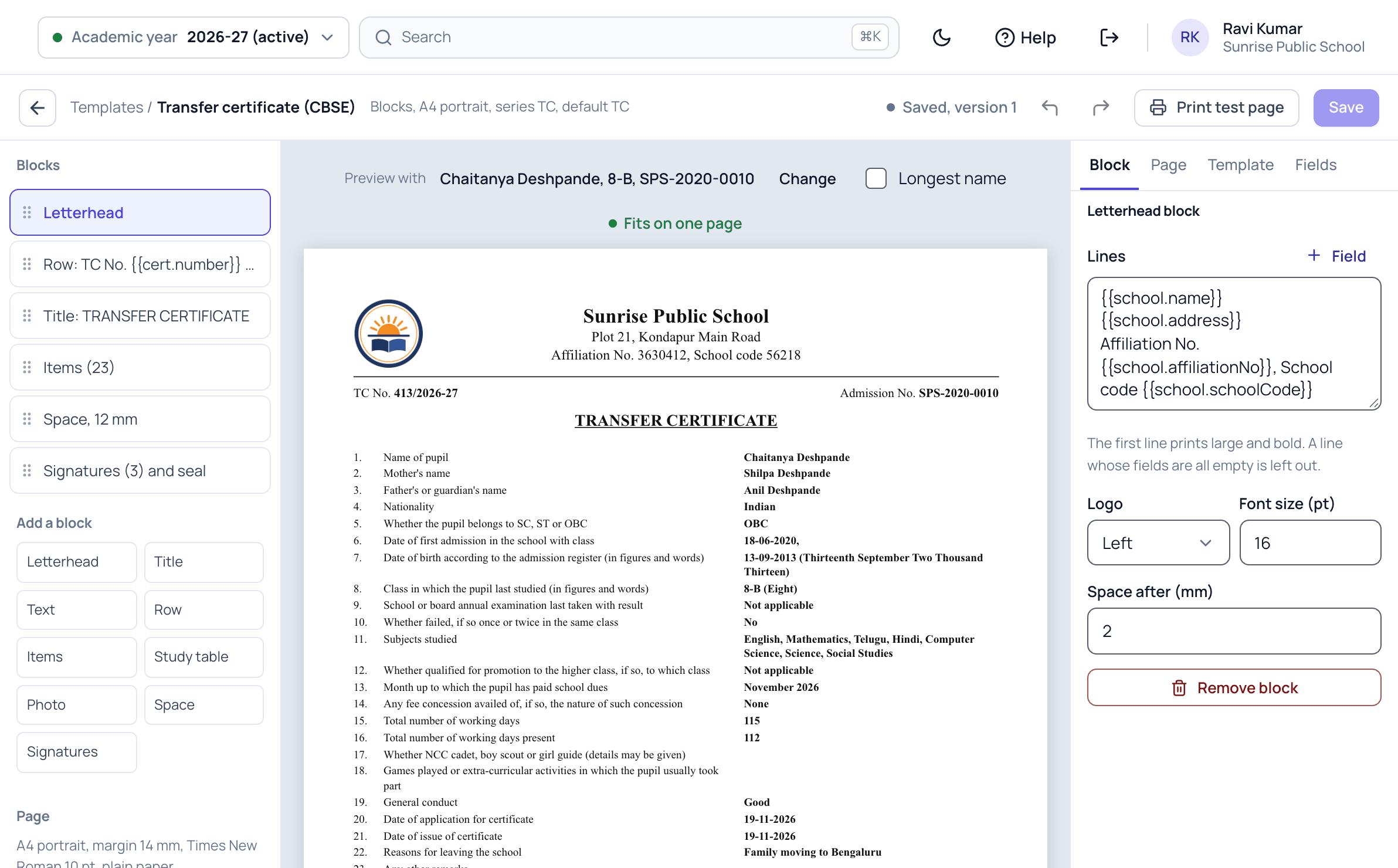
In Patashala360 a TC can only be issued after the student is marked as leaving, and only one TC is current for a student. It is filled from the student record, the attendance register, the exam results and the fee record, and the office checks every line before it takes the next number in your TC series. A lost TC prints as a duplicate with the reason kept, and the register shows the day each TC was handed over.
Parents can ask for a TC, bonafide or study certificate in the parent app, and bonafide and award certificates print for a whole class in one go. Read more about our TC and certificate software and student ID cards.
Certificates are one module of Patashala360, school management software built for schools in India. If you are comparing options, read how to choose the best school ERP in India.