Fees & finance

School fee management software
for Indian schools

Patashala360 is school fee management software for Indian schools. Collect fees, print receipts with your school logo and see who has not paid. Fees, receipts, dues and the Tally file for your accountant are all in one place.

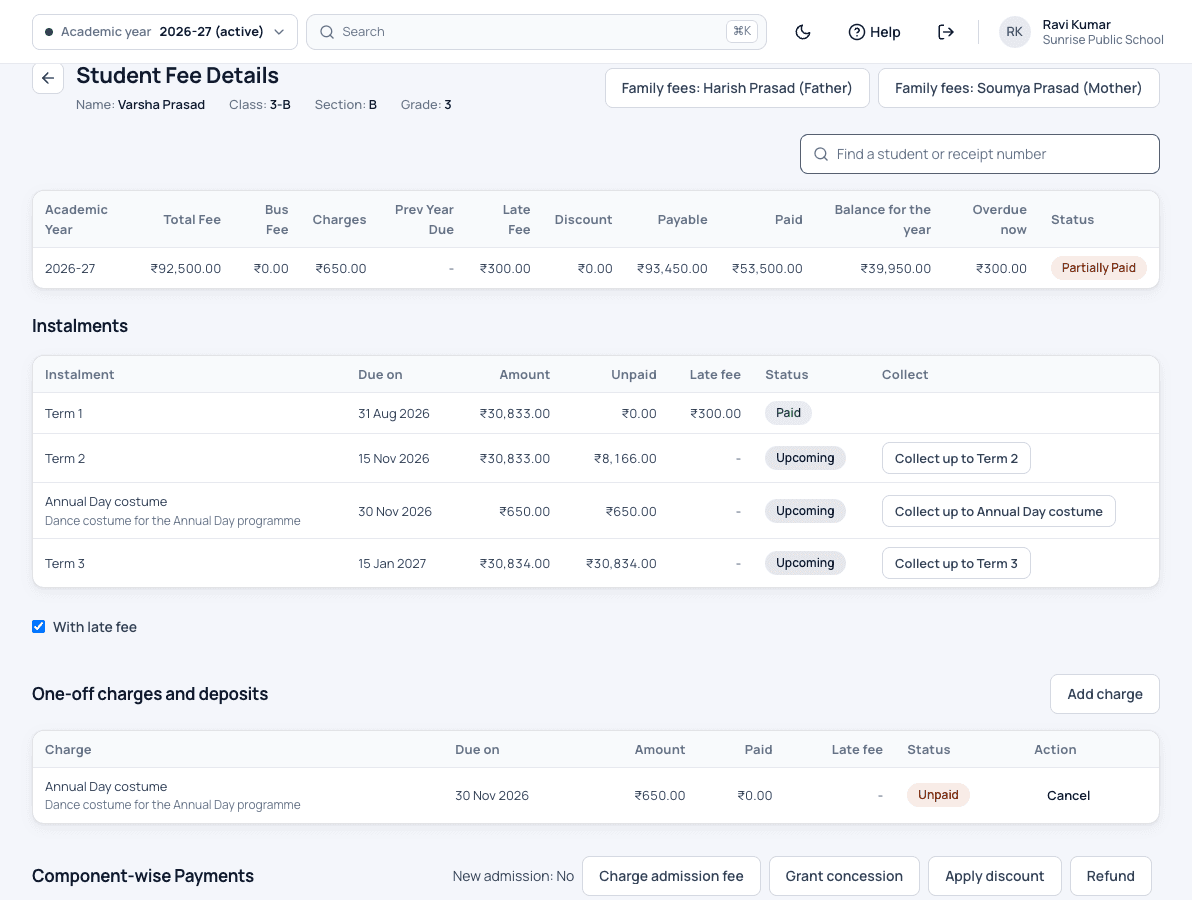
Patashala360 student fee page with the year's fee summary, term instalments and due dates, a one-off charge and collect buttons
Each child's fees, terms and charges on one page.

Fees are the heart of Patashala360, school management software made for Indian schools. Each fee sits on the same record as the child's student profile, bus fee and hostel fee, so the office and the principal see one set of figures in one school ERP.

Fee management features

Fee structures

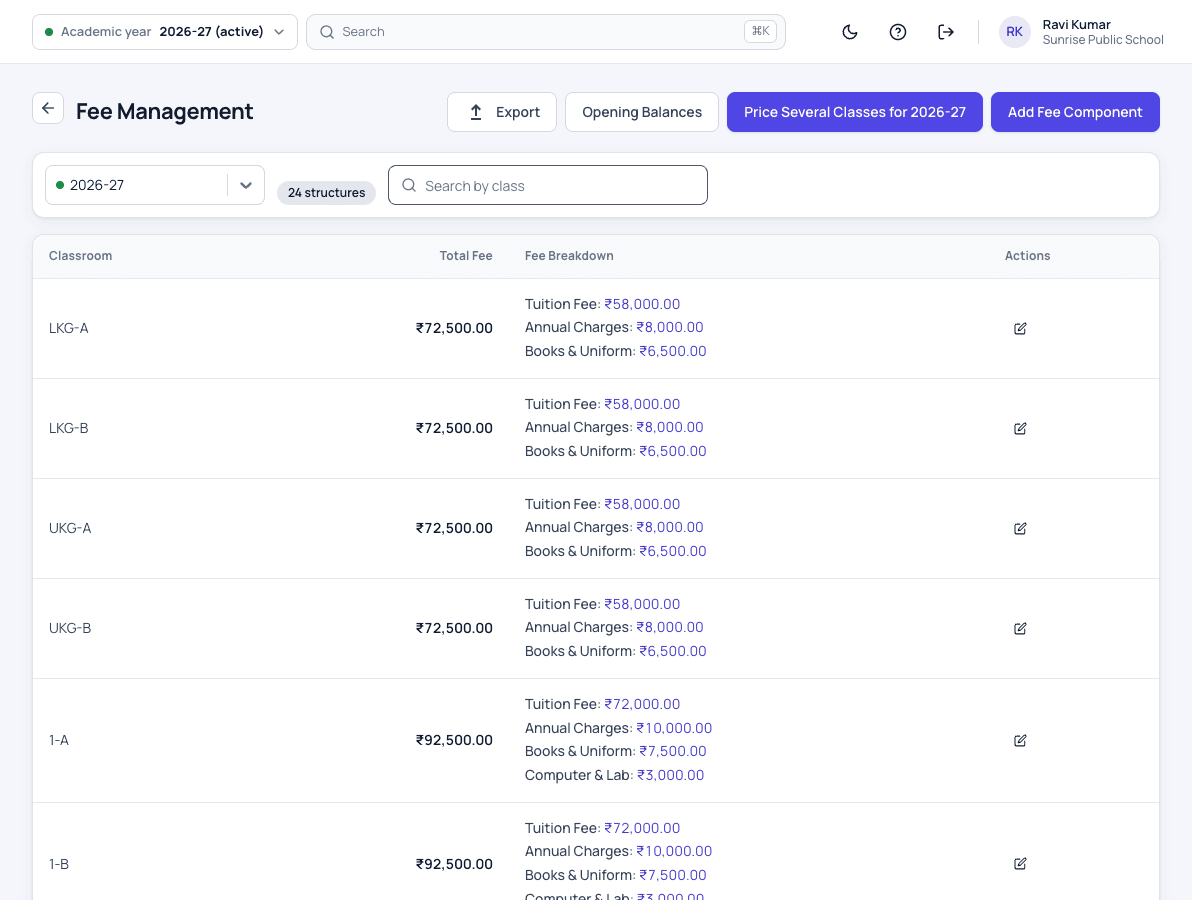
  • Class-wise fees for every academic year
  • Instalments with their own due dates
  • Optional fees charged only to students who opt in
  • A one-time admission fee for new admissions only
  • Bus and hostel fees on the same fee record
  • Every amount in whole rupees

Collection at the counter

  • Cash, UPI, cheque and bank transfer, in full or in parts
  • One family payment split across brothers and sisters, with a receipt for each child
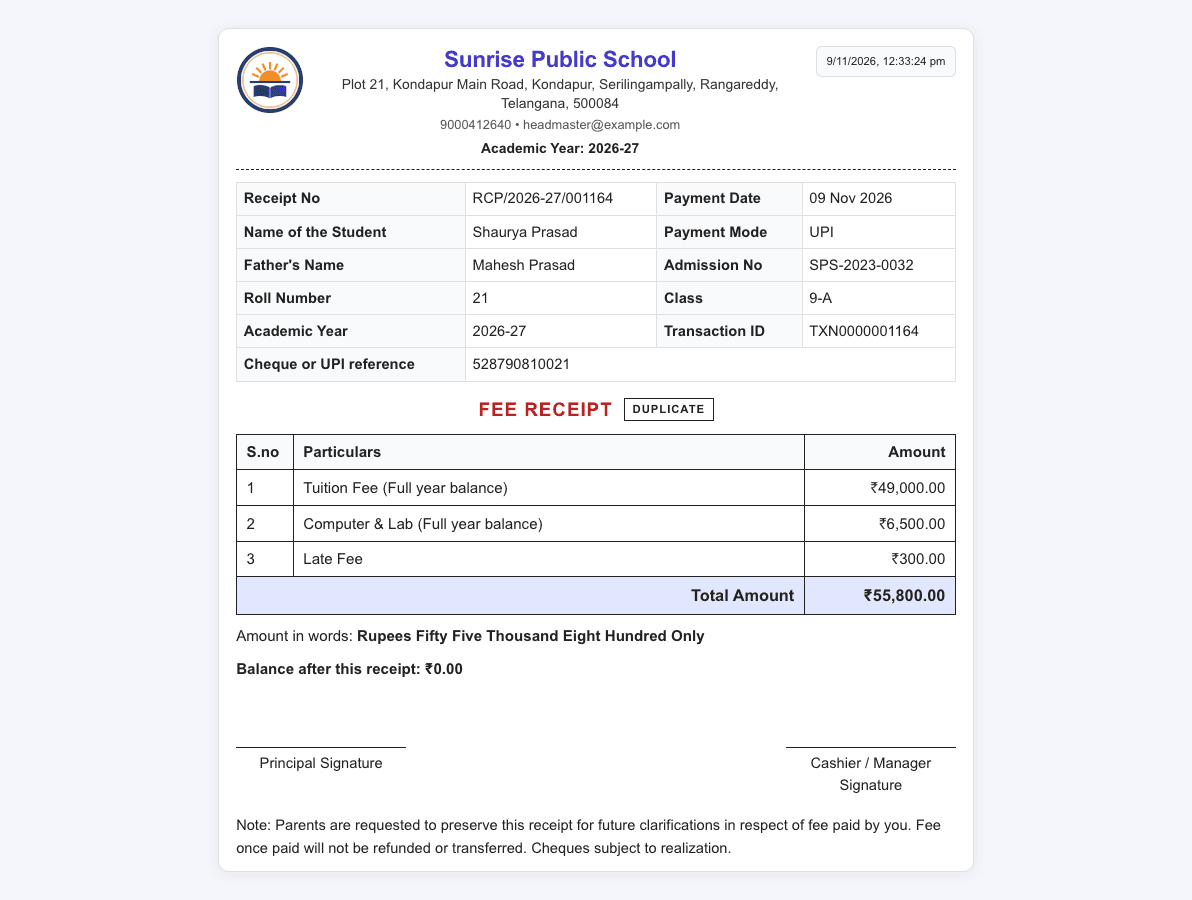
  • Receipts with your logo, seal and signature, and the amount in words
  • A warning before the same payment is entered twice
  • Cheques followed until they clear

Concessions, fines and credits

  • Concessions by percentage or amount, on one fee head or all, until a month you choose
  • Accountants give concessions up to a limit your school sets; larger ones need the principal
  • Fines and re-exam fees charged as their own lines
  • Refundable deposits, kept apart from fee income
  • Money owed back to a family adjusted against next year's fee
  • Refunds and reversals recorded, never deleted

Dues, late fees and reports

  • Outstanding dues for the school, a class or a family, with parent contacts
  • Late fees by your own rule, flat or per day, with a maximum
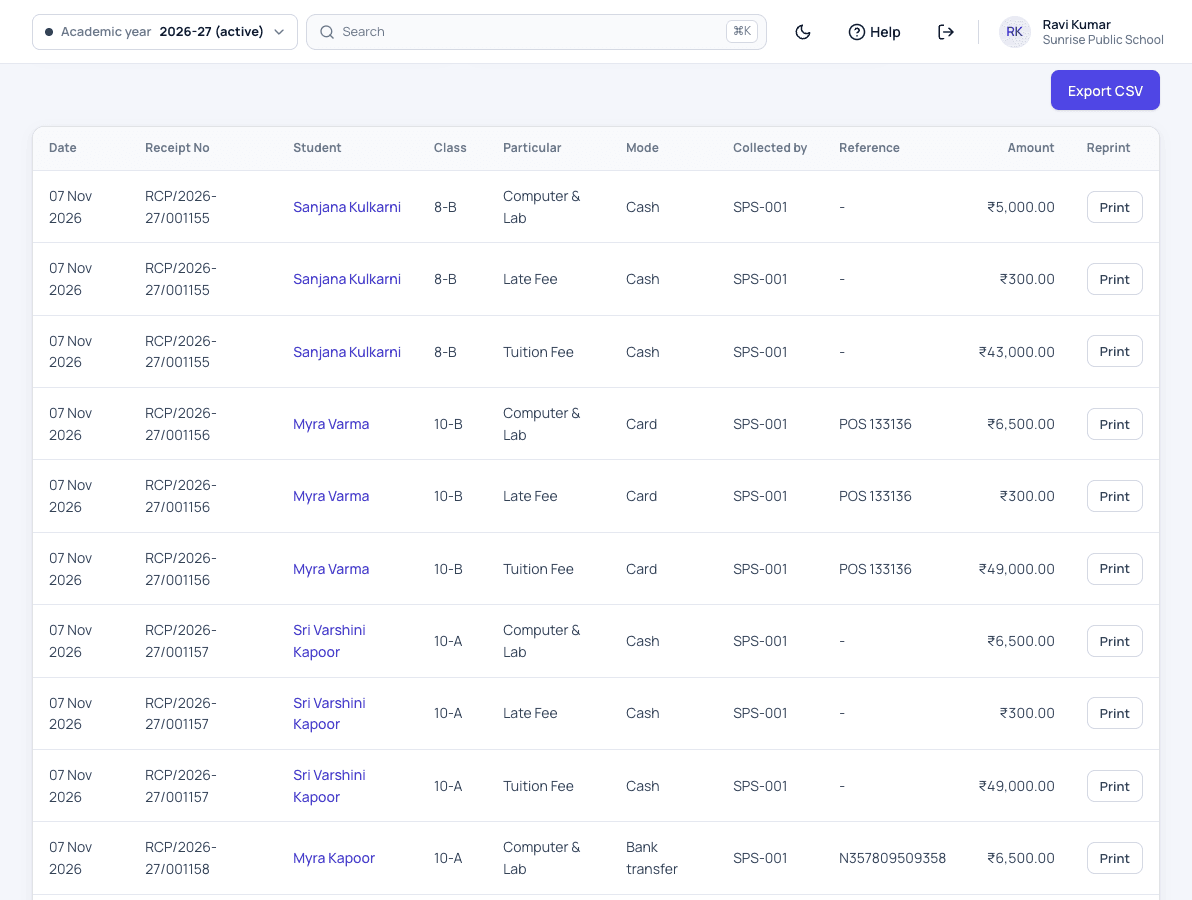
  • The day book by payment mode
  • Earlier years' dues shown year by year, never lost
  • Fee reminders to parents in the app, once it launches
Fee reports and dues

Accounts and Tally

  • Day close and the cash book
  • Bank deposits and the cheque register
  • Expenses and other income
  • A Tally Excel file for your accountant
Accounts and Tally export

Certificates and year end

  • Tuition fee certificates for parents' income tax returns
  • Unpaid fees carried into the next year at promotion
  • A leaving settlement when a student leaves
Tuition fee certificates

How fee collection works

  1. Set the year's fees once

    Before the year starts, the accountant sets each class's fees, the instalments and their due dates. Bus and hostel fees join by themselves when a child gets a bus place or a bed.

  2. Collect at the counter

    The cashier finds the family, records the payment in any mode and prints a receipt with your logo. A family paying for two children gets a receipt for each.

  3. Apply the school's rules

    Concessions, fines and late fees follow the rules your school set, the same way for every family.

  4. Close the day

    In the evening the cashier closes the day against the cash book, and money taken to the bank is recorded as a deposit.

  5. Follow up on dues

    Each week the office opens the outstanding list, with parent phone numbers, and calls the families who owe.

  6. Hand over to the accountant

    At month end the accountant downloads the Tally Excel file instead of typing every receipt again.

Who uses it

Correspondent

Sees the day's collection, what is still due and the concessions given, without asking the office.

Principal

Approves concessions above the limit and sees dues class by class.

Accountant

Sets fee structures and rules, gives concessions within the limit and downloads the Tally file.

Fee cashier

Records payments, prints receipts and closes the day.

Parents

See dues, instalments and receipts for every child in the app, once it launches.

School fee management screens

Printed school fee receipt from Patashala360 with school name, receipt number, student details and amounts
A printed receipt with the school's details on every payment.
Class-wise fee structure in Patashala360 with tuition fee, annual charges, books and uniform, and computer and lab fee for each class
A class-wise fee structure, broken into components.
Patashala360 fee day book listing each receipt of the day with student, class, fee head, payment mode, reference and amount
Every receipt of the day, ready to tally.

Fee management: common questions

Which payment modes can we record?

Cash, UPI, cheque and bank transfer, in full or in parts. Each payment gets a receipt with your school's logo, and cheques are followed until they clear.

Can we collect fees in instalments?

Yes. Each class's fee can be split into instalments with their own due dates, and a late fee applies only to an instalment that is actually late.

How are sibling concessions handled?

A concession can be given by percentage or amount, on one fee head or all, until a month you choose. At promotion, a sibling concession carries into the new year only while a brother or sister still studies at the school.

Can a cashier give any concession?

No. Your school sets a limit. The accountant can give concessions up to it, and anything larger needs the principal.

Does it work with Tally?

Yes. The accountant downloads a Tally Excel file with your fee heads mapped to your own ledgers, so receipts are not typed again.

What happens to unpaid fees at the end of the year?

They are never lost. Unpaid fees carry into the next year at promotion, and earlier years' dues show year by year on the family's record.

What if a payment is entered by mistake?

It is reversed, not deleted, so the record shows what really happened. Patashala360 also warns before the same payment is entered twice.

See Patashala360 with your school's data

Tell us your school name, town and number of students. We will call you to fix a time for the demo.

Or write directly to hello@patashala360.com