Multi-school and multi-branch
school management software

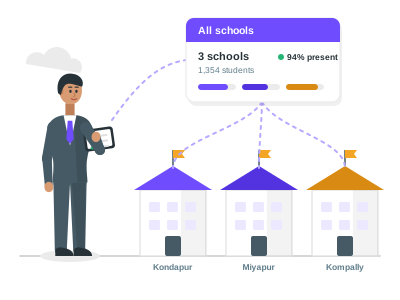
For a trust or society that runs several schools: see every branch on one page, open any school without signing out, and give each person the right role in each school.

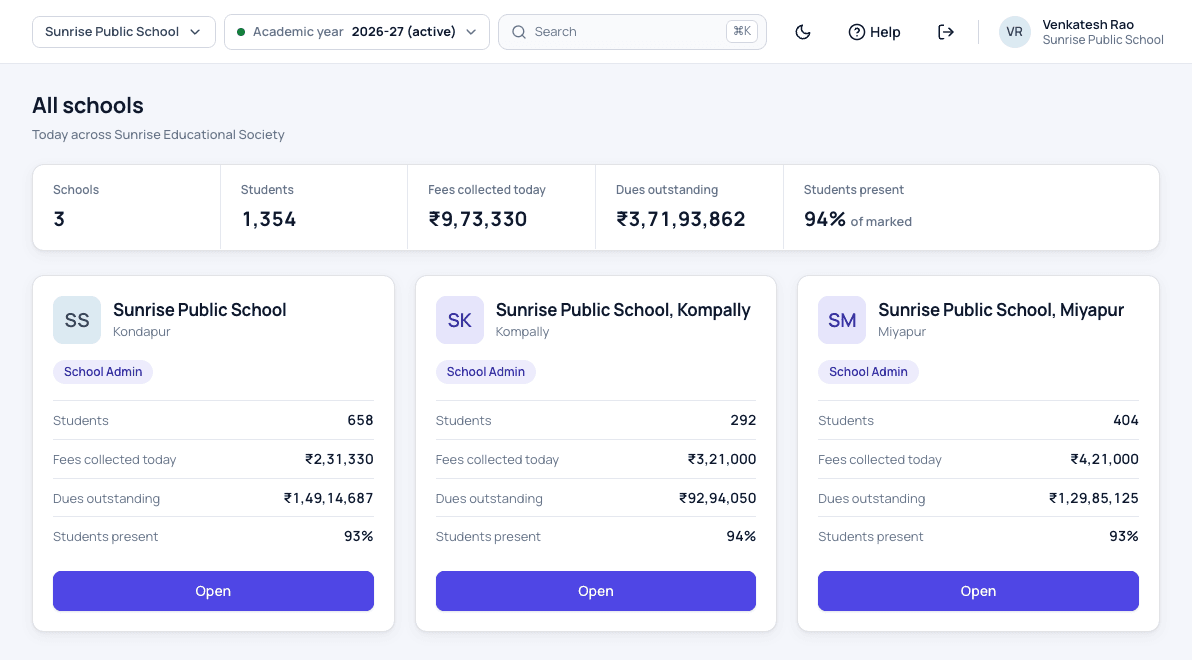
Patashala360 all schools page for Sunrise Educational Society with three branch schools, students, fees collected today, dues outstanding and students present
Every branch on one page, with totals for the group.

Multi-school access is part of Patashala360, school management software for Indian schools. Each branch keeps its own students, fees, staff and roles, and the people who run the group see all of them with one sign-in.

Multi-school features

All schools on one page

  • Students, fees collected today and dues for each school
  • Students present today, and staff present where staff attendance is set up
  • Totals for the whole group at the top
  • Each school's licence status
  • Only the figures each person's role in that school allows
One sign-in for the group

  • Sign in once with a mobile number or email
  • Open any school without signing out
  • Switch schools from the top bar
  • Work in each school with the role given there
  • If an old browser tab still shows the last school, a save there is stopped, so nothing is saved in the wrong school

Each school stays separate

  • Its own students, fees, receipts, staff and settings
  • Its own academic year and reports
  • Staff of one school never see another school's records
  • Group people never appear in a school's staff lists
  • The school's admin can see who in the group can open the school
How we protect student data

Group people

  • The owner adds people and picks their schools
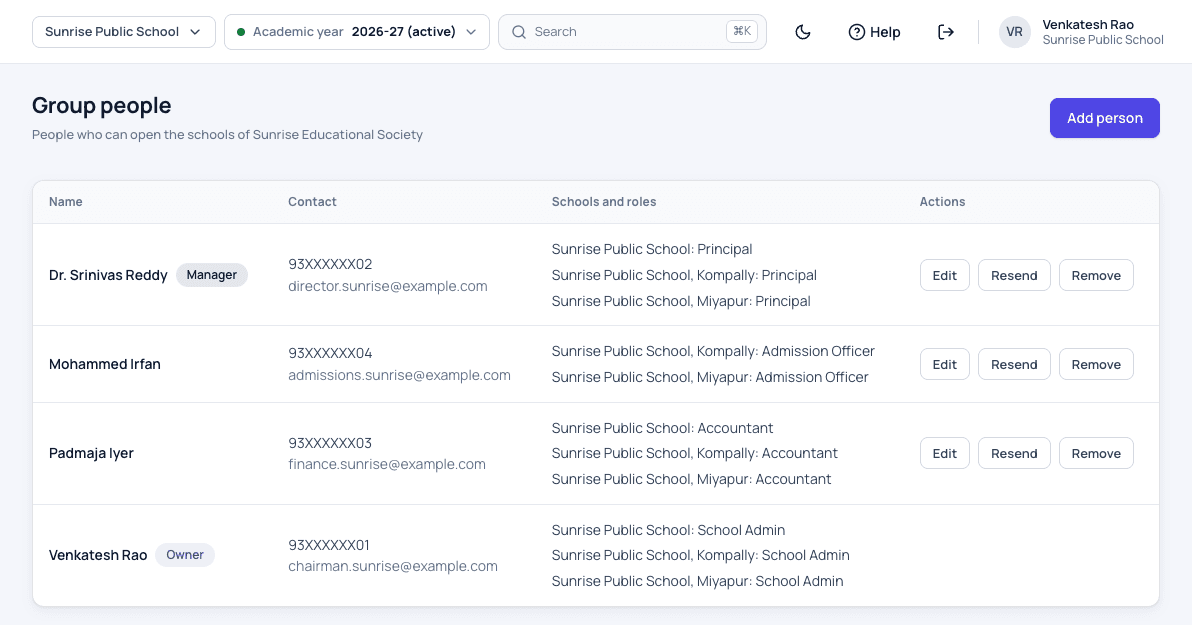
  • A role for each person in each school, such as Principal or Accountant
  • An email to each new person to set their own password
  • Removing a person ends their access to every school at once
  • Receipts and records they made keep their name
Roles and permissions

Billing for the trust

  • Each school keeps its own licence and tax invoice
  • When the trust is billed, invoices carry the trust's name and GST details
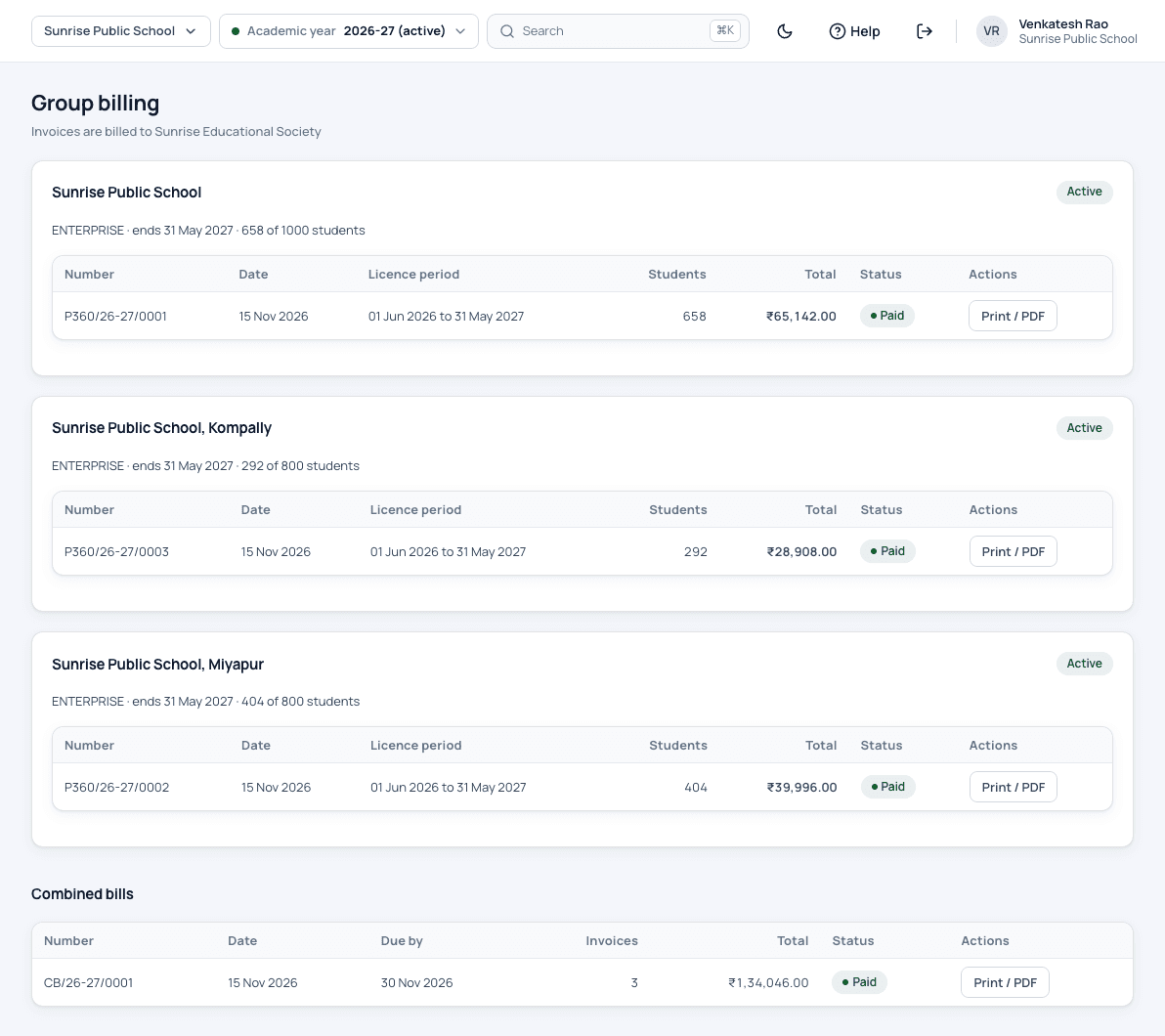
  • A combined bill lists the schools' invoices with one total
  • One payment clears the combined bill
  • The owner sees every school's licence and invoices on one page
Pricing

Set up by our team

  • We create the group and link your schools, up to 30
  • We set the owner, who then adds the others
  • A school belongs to one group only
  • The all-schools page is in the web application

How a school group works

  1. We set up the group

    Our team links your schools to the group and sets the owner, who gets an email to set a password.

  2. Add your people

    The owner adds directors, a CEO or accountants and picks their role in each school.

  3. Read the all-schools page

    Each morning, see students, today's fees, dues and attendance for every school.

  4. Open a school

    Click Open on a school, or pick it from the top bar, and work there as usual.

  5. Pay once

    When the trust is billed together, it pays the schools' invoices on one combined bill.

Who uses it

Owner or correspondent

Sees every school, adds group people and reads group billing.

Director or CEO

Opens each school given to them, with the role given there, such as Principal.

Group accountant

Works in each school's fees and accounts with the Accountant role.

Branch admin

Runs their own school and can see who in the group can open it.

School office

Works only in their own school, as before.

Patashala360 team

Creates the group, links the schools and issues the invoices.

Multi-school software screens

Patashala360 group people list with each person's schools and their role in each school, such as Principal, Accountant and Admission Officer
Each person's schools and their role in each one.
Patashala360 group billing page with each school's tax invoice billed to the trust and one combined bill paid with one payment
Each school's invoice billed to the trust, paid on one combined bill.

Multi-school software: common questions

Can one person see all our schools?

Yes. The owner and the people the owner adds sign in once, see all their schools on one page with students, today's fees, dues and attendance, and open any of them without signing out.

Can one branch see another branch's data?

No. Each school keeps its own records, and the staff of one school see only that school. Only the group people you add can open more than one school, and only with the role given to them in each school.

Can a person have a different role in each school?

Yes. For example, someone can be Principal at one school and Accountant at another. The owner picks the role school by school.

Are the figures on the all-schools page up to date?

They are read from each school's records and can be up to 2 minutes old. The dues match the school's own outstanding fees report.

How is a group of schools billed?

Each school keeps its own licence and tax invoice. When the trust is billed for all its schools, the invoices are addressed to the trust with its GST details, and a combined bill lets the trust pay them together with one payment.

Can we add a new branch later?

Yes. Raise a support request and our team links the new school to your group. A group can have up to 30 schools.

Does it work in the mobile app?

The all-schools page is in the web application. In the app, each group person works in the school they opened last, with that school's staff screens.

See Patashala360 with your school's data

Tell us your school name, town and number of students. We will call you to fix a time for the demo.

Or write directly to hello@patashala360.com