
Academics
Examination Management Software for Schools
Plan every exam of the year, and let each subject teacher enter their own marks.
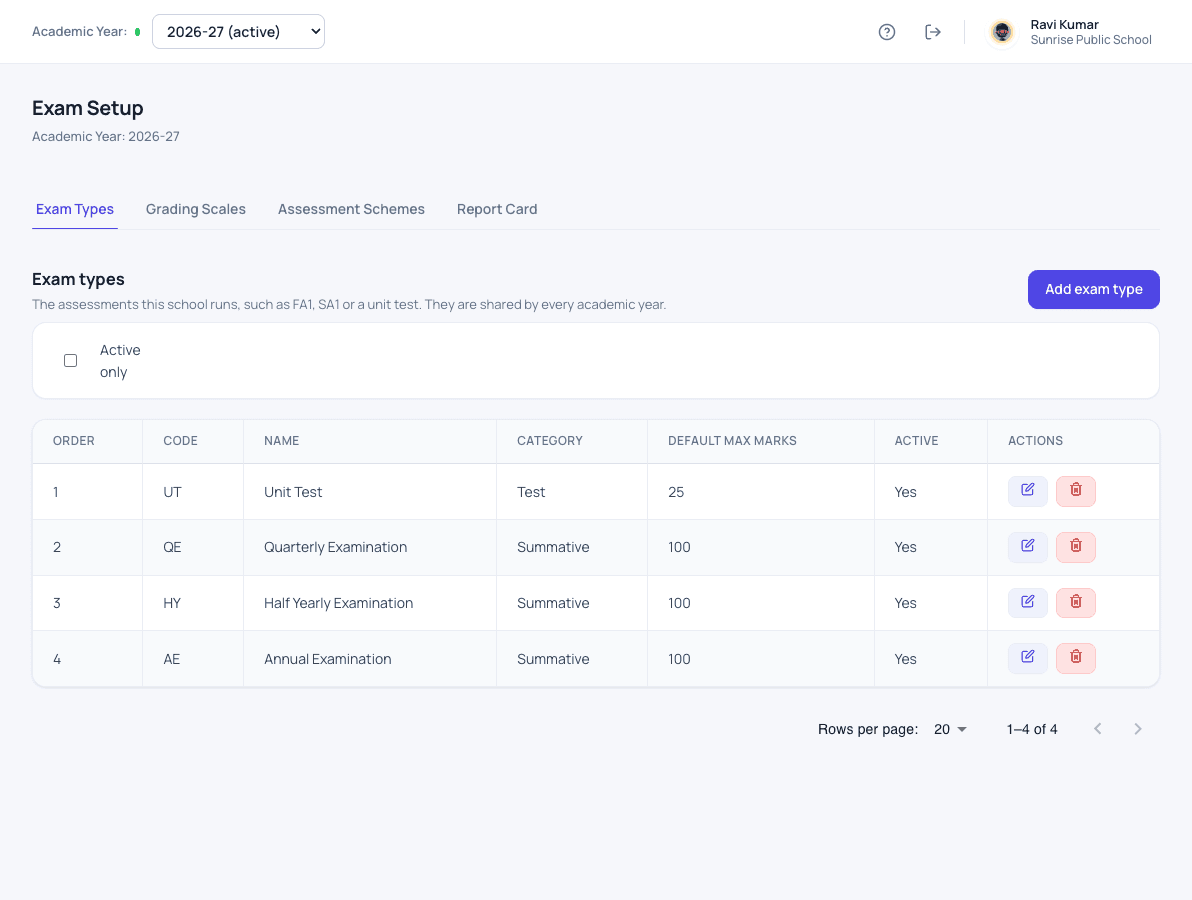
What examinations does for your school
Exam types, grading and the weight of each exam are set up once for the year. Each subject teacher enters marks only for the subjects they teach, and the marks are saved as they type. Marks are checked and locked before any result goes out.
- Exam types, grading scales and weightage for the year
- Exam schedule, with maximum and pass marks per subject
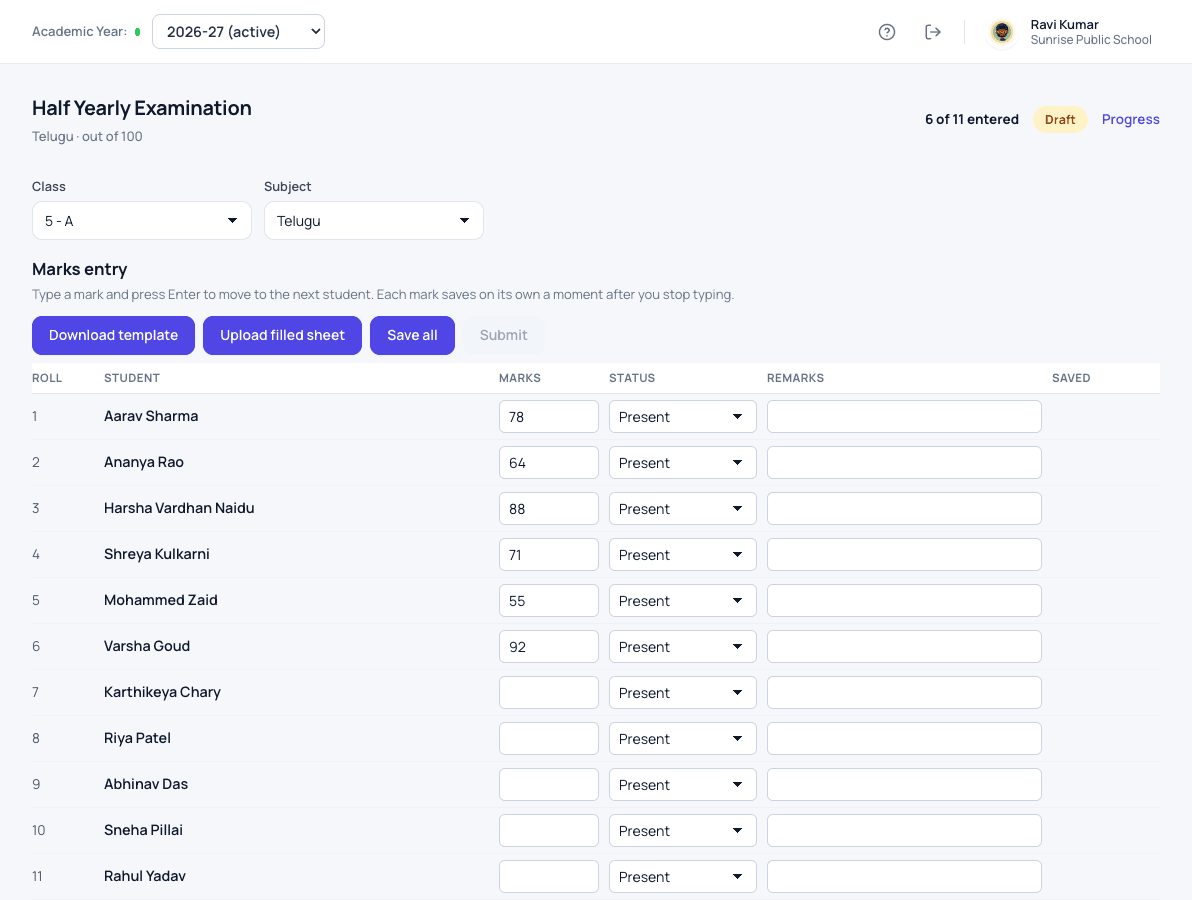
- Marks entered by each subject teacher, saved as they type
- Marks checked and locked before results are published
- Hall tickets printed for every student
How it works
Examinations in three steps
-
Set up once
Define exam types such as unit tests and term exams, grading scales and the weight of each exam for the year.
-
Plan and enter marks
Plan each exam for each class. Subject teachers enter their own marks, saved as they type, or upload a filled sheet.
-
Check and lock
The coordinator follows progress, checks the marks and locks them before any result goes out.
What changes
What your school gets from it
- No marks lists passed between teachers on paper.
- The coordinator sees which subjects are still pending.
- Results come from locked marks, so they do not change by accident.
See it
More of examinations in Patashala360
Questions
Examinations: common questions
Can teachers enter marks from an Excel sheet?
Yes. A teacher downloads the marks template for their class and subject, fills it in and uploads it.
Can we see how a class performed?
Yes. Exam analytics show results by class and subject for each exam.
Can we print hall tickets?
Yes. Hall tickets print for every student of a class.
Works together with
Classes & sections
Set up your classes and sections once a year, each with its own class teacher.
Class & Section Management for SchoolsSubjects & teachers
Keep the subject list for every class, and know which teacher handles each one.
Subject & Teacher Allocation for SchoolsStudent attendance
Daily attendance in a few taps, with a clear record for every student across the year.
Student Attendance Management SystemExaminations is one of 24 modules ready today in Patashala360, school management software built for schools in India. Every module works on the same student, class and fee records, so nothing is typed twice. If you are comparing options, read how to choose the best school management software in India.
Ready to see it on your own school's data?
Send us your school name, your city and roughly how many students you have. We will set up a walkthrough with your numbers in it, not a generic slide deck.
Or write directly to hello@patashala360.com