TC, certificate and ID card
software for schools

Issue transfer certificates, bonafide and study certificates, award certificates and student ID cards from the records your school already keeps, and let parents ask for them in the app.

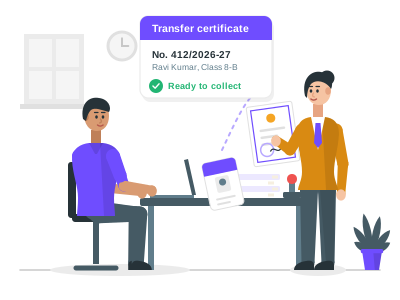
Patashala360 transfer certificate in the CBSE format filled from a Class 8 student's records, with the school seal and the principal's signature
A TC in the CBSE format, filled from the student's records.

Certificates and ID cards are one module of Patashala360, school management software for Indian schools. A TC is filled from the same student records, attendance register, exam results and fee records the school already keeps, and parents ask for certificates in the parent app.

Certificate and ID card features

Transfer certificates (TC)

  • A ready TC in the CBSE format, and a general format for other schools
  • Filled from the student's record, attendance register, results and fee record
  • Fees still due shown to the office before the TC is issued
  • Issued only after the student is marked as leaving, one current TC for each student
  • A duplicate marked as a duplicate when a TC is lost, with the reason kept
  • A list of students who left without a TC
How to issue a transfer certificate

Bonafide, study and award certificates

  • Bonafide, study and conduct certificates for one student at the counter
  • Merit, sports, leadership and competition certificates for a whole class
  • Up to 200 students at a time, each with their own rank, marks or purpose
  • Every certificate printed in one go, in the order of its number
Bonafide and other certificates

Your own designs

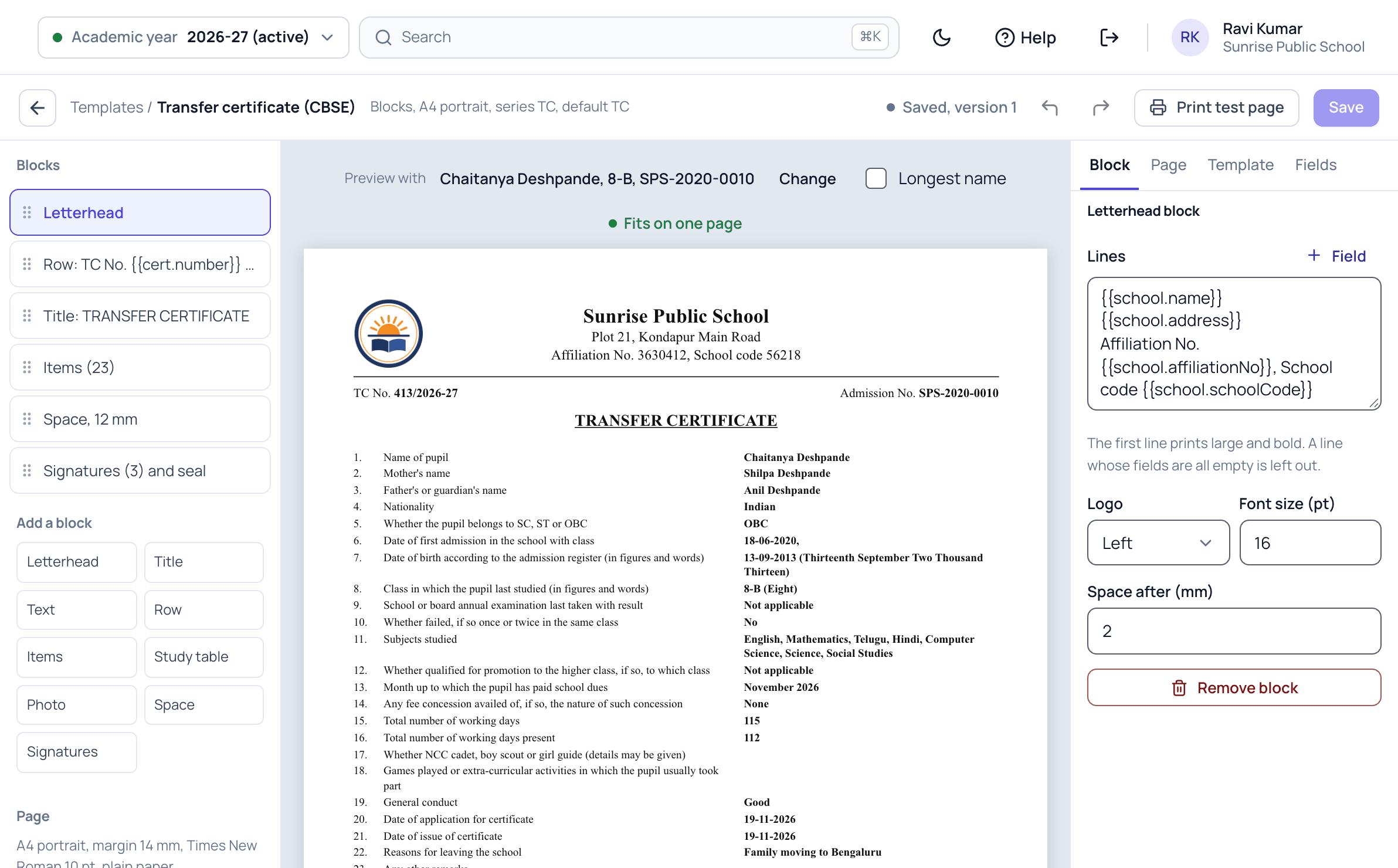
  • Bonafide, study and conduct certificates built from blocks: letterhead, text, rows and signatures
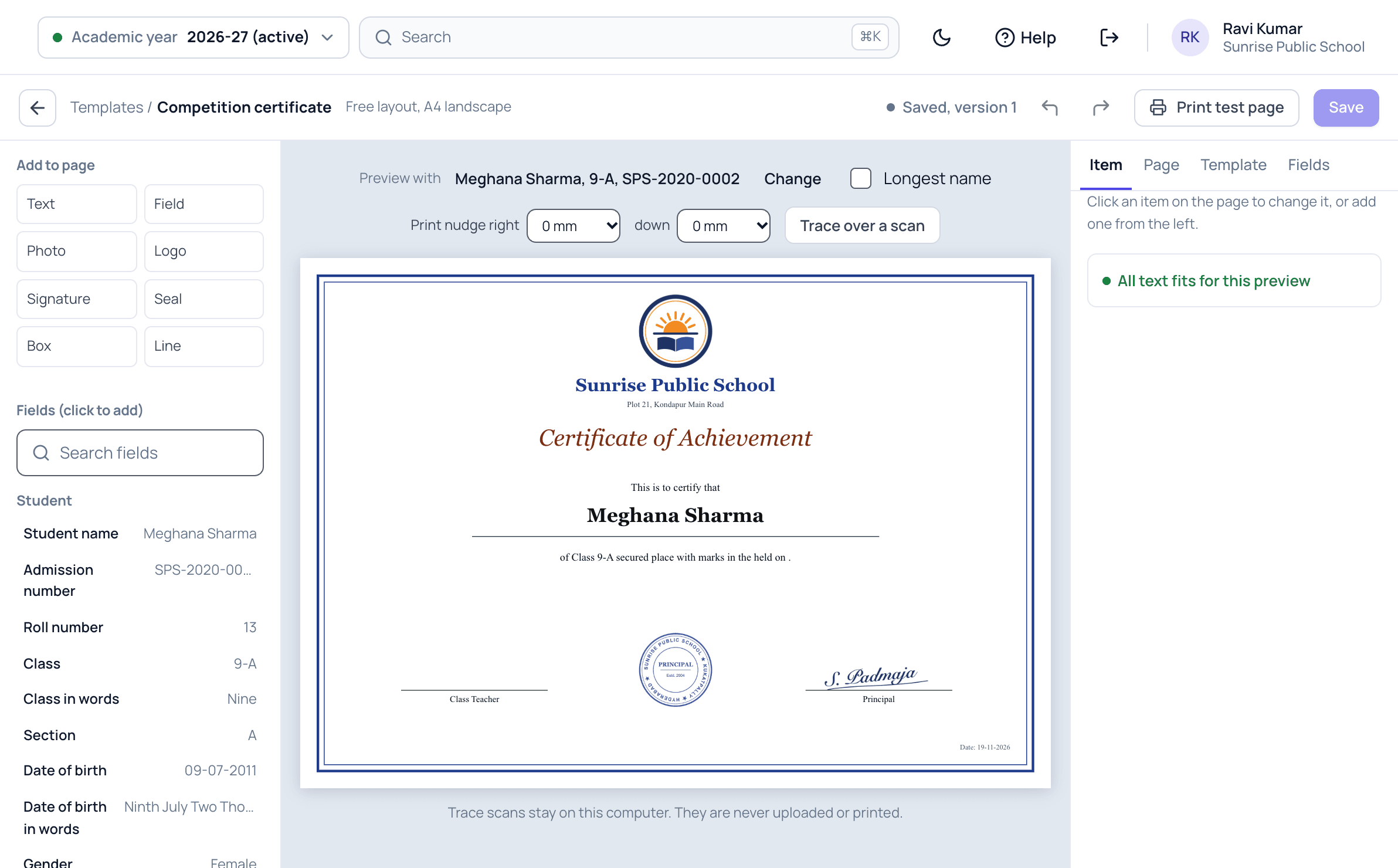
  • Award certificates designed by dragging fields onto the page
  • A4 or A5, portrait or landscape
  • A printed border on plain paper, or your own printed certificate paper
  • A preview with a real student, and a check that long names still fit
  • A test page and a small shift to line the print up with your paper

Numbers, seal and the register

  • A TC number series by academic year, and series of your own such as BON or CERT
  • The next number set by you, so the numbers carry on from your old book
  • The school seal and signatures uploaded once, printed only where you switch it on
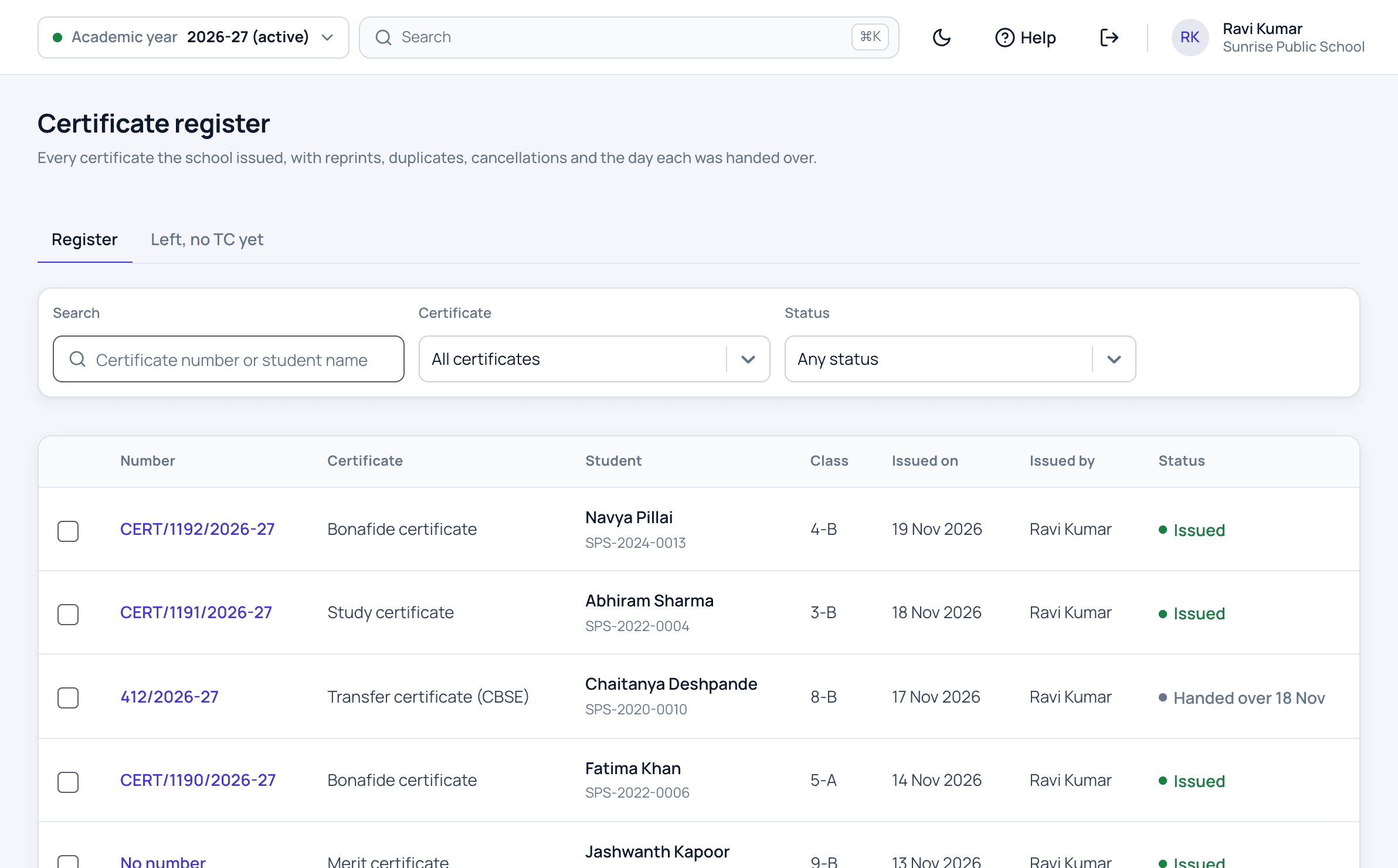
  • Every certificate in one register, searched by number or student name
  • Duplicates, cancellations with the reason, and the day each TC was handed over
  • Kept in your school's data export

Requests from parents

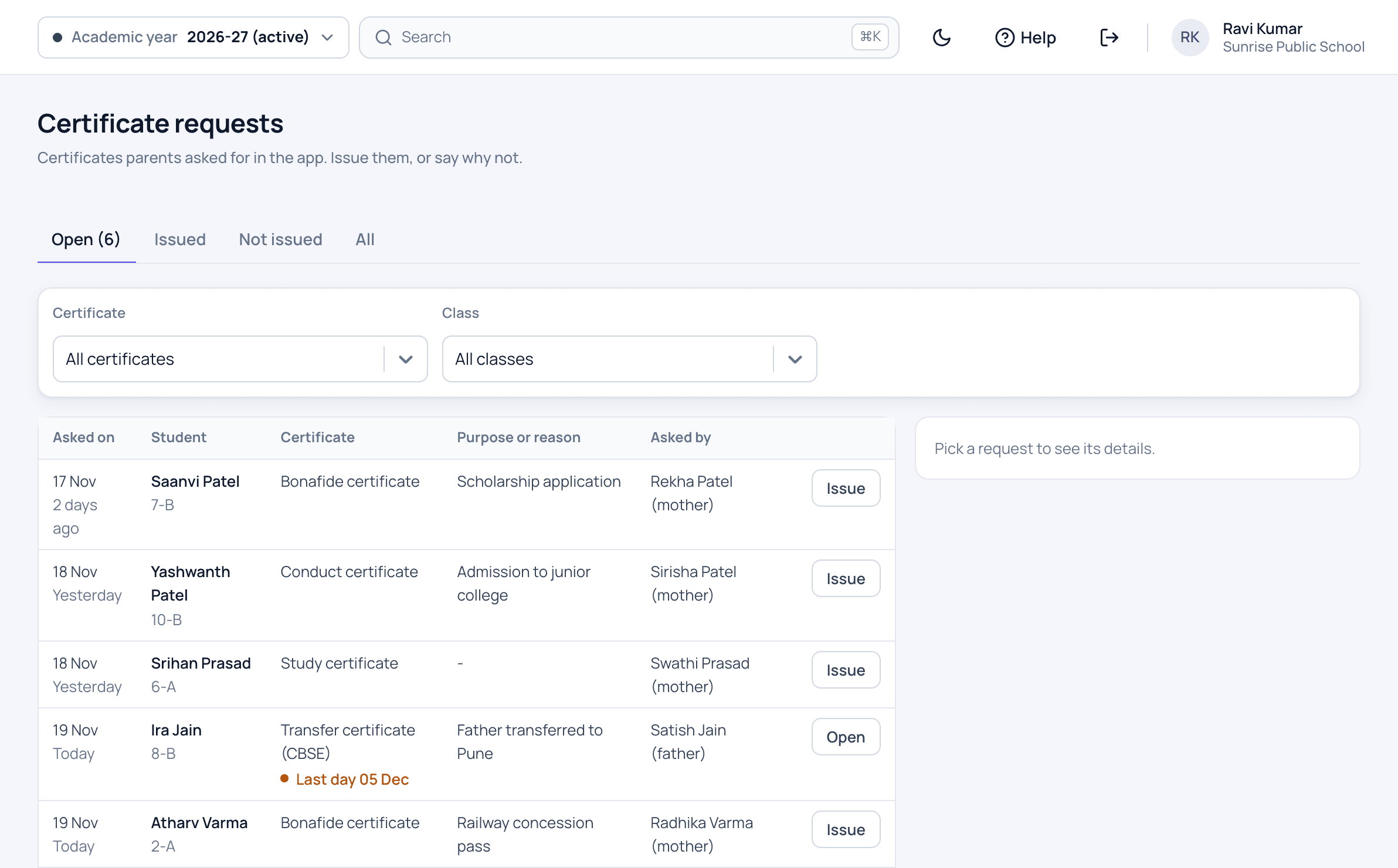
  • Parents ask for a TC, bonafide, study or conduct certificate in the app
  • The purpose, and for a TC the reason for leaving and the last day at school
  • A count of new requests on the office menu
  • Issue from the request in one click, or say why not
  • Parents told in English, Telugu and Hindi when it is ready, then collect the signed certificate at the office
The parent app

Student and parent ID cards

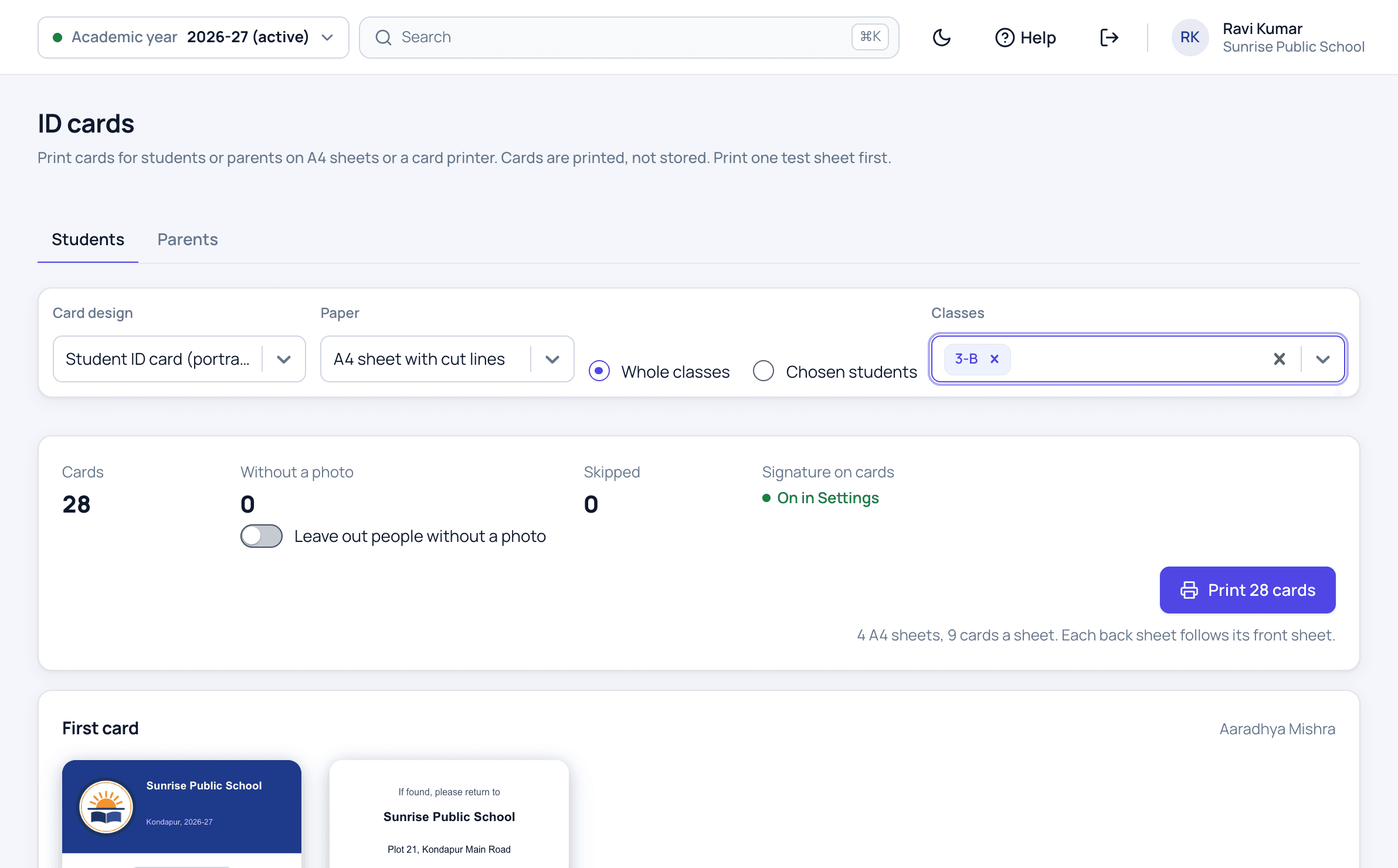
  • Student cards, portrait or landscape, and parent cards
  • The photographer's photos uploaded in one go, matched by admission number
  • Cards for a class, several classes or chosen students, up to 500 at a time
  • A4 sheets with cut lines, or a card printer
Student ID cards

How a certificate is issued

  1. Set up once

    Pick the ready designs you need, upload the seal and signatures, and set the next TC number to carry on from your old book.

  2. A parent asks

    In the app or at the counter. The office sees every request, oldest first.

  3. Mark the student as leaving

    For a TC, the office records the last day and the reason, and goes straight on to the TC.

  4. Check and issue

    The TC is filled from the school's records. The office checks every line, corrects what it needs to, and issues it with the next number.

  5. Print, sign and seal

    Print on plain paper or your own certificate paper. The principal signs, or the uploaded signature and seal print on it.

  6. Hand it over

    Note the day the parent collected it. The parent's app shows it as collected.

Who uses it

Office staff

Issue certificates and ID cards, and answer parents' requests.

Principal

Designs the certificates, signs them and sees the full register.

Admission team

Issues bonafide, study and other certificates.

Reception

Looks up any certificate in the register.

Correspondent

Sees every certificate issued in the school.

Parents

Ask for certificates in the app and see when they are ready.

School certificate software screens

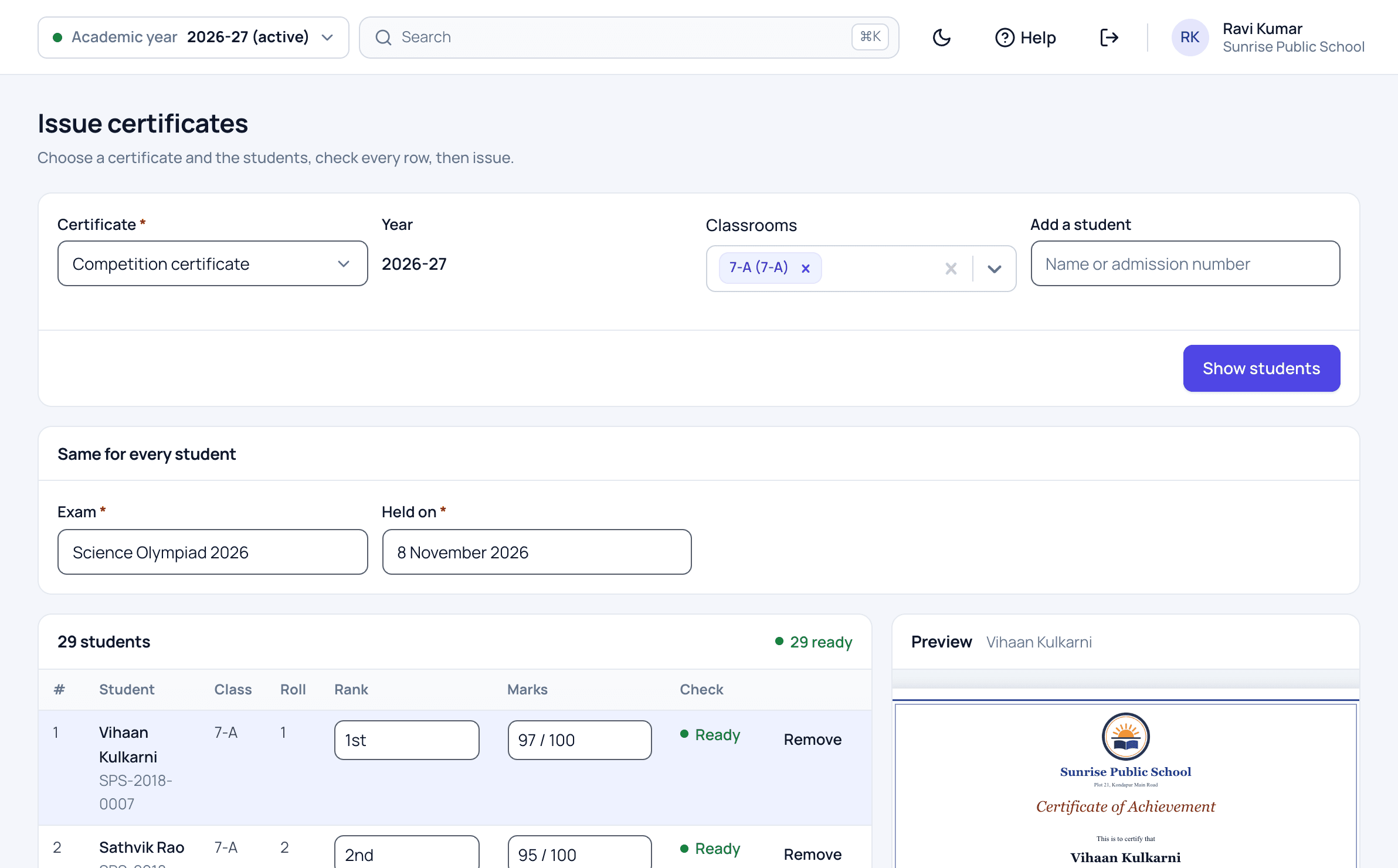
Patashala360 issuing Science Olympiad certificates for a whole class, with each student's rank and marks and a preview of the certificate
Certificates for a whole class, each with their own rank and marks.
Patashala360 list of certificate requests from parents: bonafide, conduct and study certificates and a transfer certificate with the last day at school
Parents' requests from the app, oldest first.
Patashala360 drag and drop designer for an award certificate on A4 landscape
Design an award certificate by dragging fields onto the page.
Patashala360 student ID cards for Class 3-B, with the front and back of the first card and no student without a photo
ID cards for a class, front and back, ready to print.
Patashala360 certificate register listing bonafide, study, merit and transfer certificates with numbers, issue dates and the day a TC was handed over
Every certificate with its number, date and status.
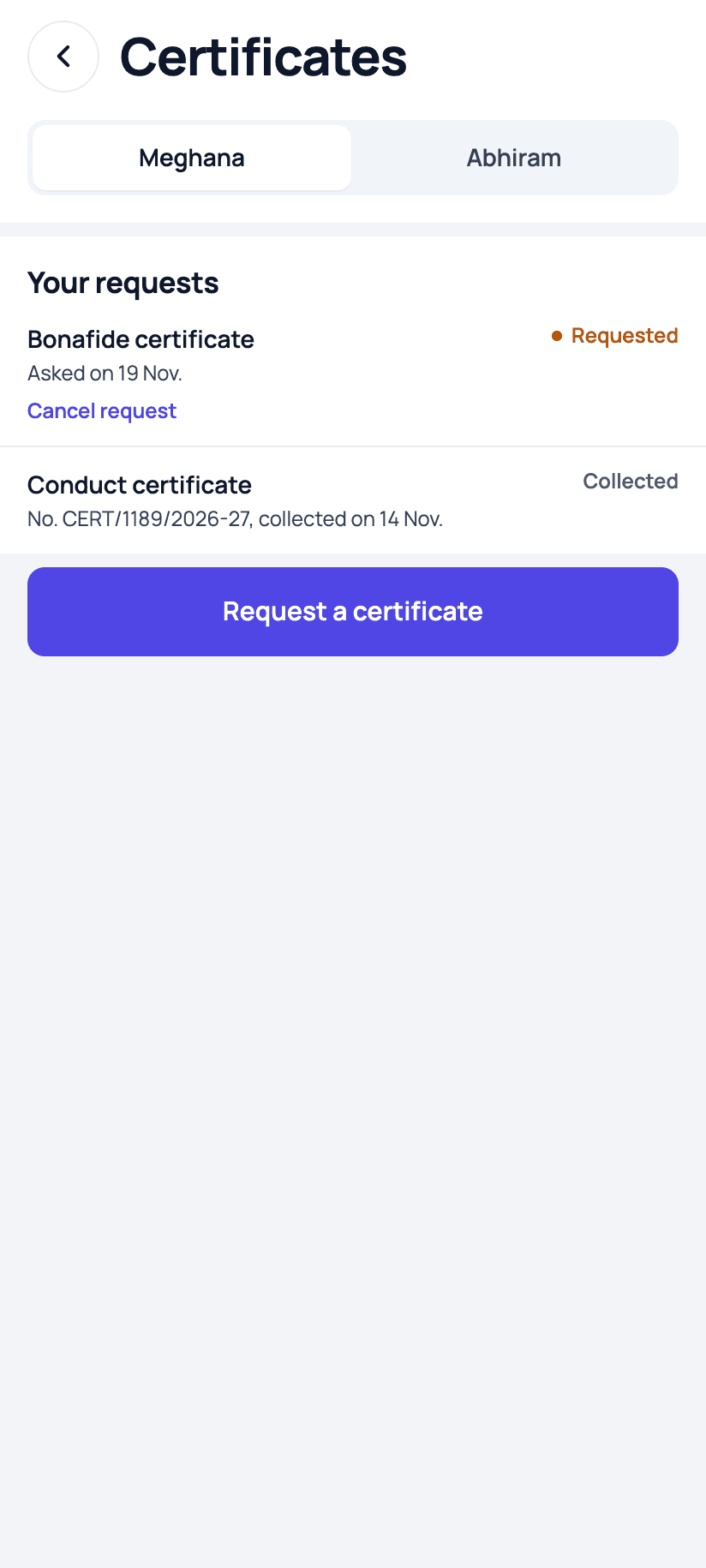
Patashala360 parent app showing a requested bonafide certificate and a collected conduct certificate
Parents ask and see when it is ready, in the app.

TC and certificate software: common questions

Does the TC follow the CBSE format?

Yes. There is a ready TC in the CBSE format with its 23 points, and a general format for other schools. You can change either one: the rows, the letterhead and the signature spaces.

Is the transfer certificate filled in by itself?

Most of it. The class last studied, the last result, the subjects, working days and days present, and the month up to which fees were paid come from the school's records. The office checks every line and can correct it before the TC is issued.

Can we carry on with our existing TC numbers?

Yes. Set the next number for the TC series once. If your last TC book ended at 411, the first TC in Patashala360 is 412, and numbers are never given twice.

What if a parent loses the TC?

The original can be printed for three days after it is issued. After that a TC prints only as a duplicate, marked as one, with the same number and the reason kept in the register.

Can parents ask for a certificate from the app?

Yes, for the certificates your school allows: usually the TC, bonafide, study and conduct certificates. The office issues it, the parent is told it is ready, and collects the signed certificate at the school office.

Do we need special paper or a card printer?

No. Certificates print on plain A4 paper with a border, or on the certificate paper your school already buys. ID cards print on A4 sheets with cut lines, or on a card printer if you have one.

Are certificates and ID cards included in the price?

Yes. Every module is included in the same per-student price. We switch certificates and ID cards on for your school when you are ready to use them.

See Patashala360 with your school's data

Tell us your school name, town and number of students. We will call you to fix a time for the demo.

Or write directly to hello@patashala360.com