
A school library depends on its records. Books go missing quietly, the register falls behind, and by March nobody knows which class has the most overdue books. A library that runs well does not need a big budget. It needs a few clear rules that the librarian, the class teachers and the office all follow. This checklist covers them, and it works whichever software your school uses.
1. Keep one accession register
The accession register is the library's main record. Every copy of every book gets its own number, in the order it arrives, and a number is never given to a second book, even after the first is written off.
- Write the title, author, publisher and edition for each copy.
- Note how it came: bought, donated, or a specimen copy from a publisher.
- Keep the vendor's bill number, the price and the date received.
- Keep the price for every copy. It is what you charge when a book is lost.
2. Label every book
A label with the accession number as a barcode makes issue and return quick, and stops numbers being misread. Stick it in the same place in every book, such as inside the front cover. Before you label the whole library, print a few labels and test them with the scanner at the desk.
3. Set borrowing rules by class
Small children and senior students need different rules. Write them down, put them up in the library, and share them with class teachers at the start of the year. For example:
- Nursery to Class 5: one book at a time, for seven days.
- Class 6 to 10: two books at a time, for fourteen days.
- Staff: up to five books, for thirty days.
Also decide how many times a book can be renewed, and how many days a reserved book waits at the desk. Choose the numbers that suit your school; these are only a starting point.
4. Keep fines fair and simple
A fine is there to bring the book back, not to raise money. Parents accept a fine more easily when the rule is clear and the same for everyone.
- Count only school days after the due date, never holidays or vacations.
- Give a few grace days before the fine starts.
- Set a maximum fine for one book.
- Let the principal decide on waivers, and write down the reason each time.
- Collect fines at the fee counter with a receipt, not in cash at the library desk.
5. Treat lost and damaged books the same way every time
For a lost book, charge its price plus a fixed processing fee for buying and labelling a new copy. For a damaged book, note what is damaged and charge up to the price. Keep lost books apart from books that were simply not found in a stock check: one was lost by a reader, the other may still turn up.
6. Use reservations for popular books
When every copy of a popular book is out, let readers join a queue instead of asking at the desk every day. When a copy comes back, keep it at the desk for the first reader in the queue for a few days. If they do not collect it in time, it goes to the next reader.
7. Buy books with a simple approval
- The librarian lists the titles and quantities needed.
- The principal approves the list.
- The order goes to the vendor with a purchase order number.
- When the books arrive, check them against the order and the bill.
- Number and label each copy before it reaches the shelf.
Record donations and specimen copies the same way, with the giver's name.
8. Check the stock once a year
Pick a quiet week, scan or tick every book on the shelves, and compare the result with the register. Look again for the books that were not found before you write any of them off, and let the principal approve each write-off.
9. Share a few numbers with the principal
The most borrowed books show what children enjoy. The least borrowed books help you decide what not to buy again. The overdue list and the borrowing by class show which classes need a reminder from their class teacher. A one-page summary each month is enough.
How Patashala360 helps
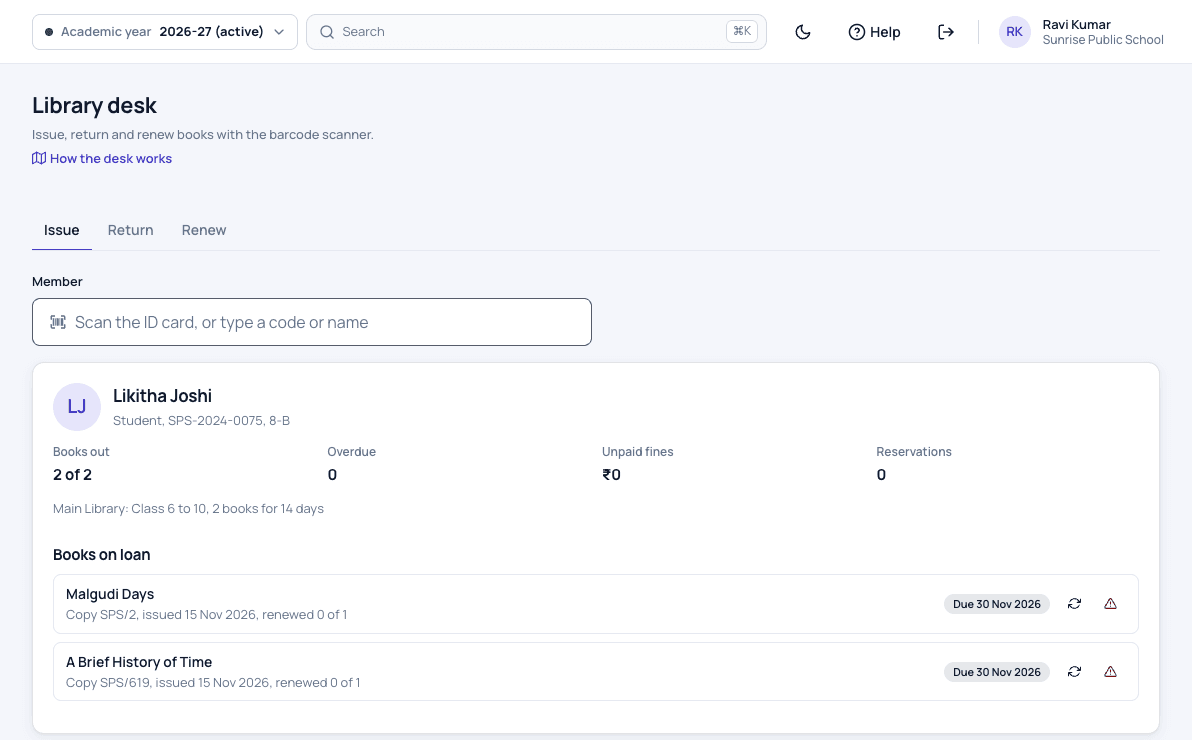
In Patashala360 the library keeps the accession register, brings in your old register from Excel and prints barcode labels on A4 sheets. The librarian issues and returns books with a USB barcode scanner, due dates move off holidays by themselves, and reservations wait in a queue. Borrowing rules are set for each class group and for staff.
A student's fine is counted on school days only and added to the fee record, so parents pay it at the fee counter with the other fees. Book purchases, stock checks and the library reports are part of the same module, and parents see their child's books and due dates in the parent app. Read more about our school library management software.
The library is one module of Patashala360, school management software built for schools in India. If you are comparing options, read how to choose the best school ERP in India.