
Certificates & ID cards
Student id card software for schools
Student and parent ID cards for a class or the whole school, with photos, printed on A4 sheets or a card printer.
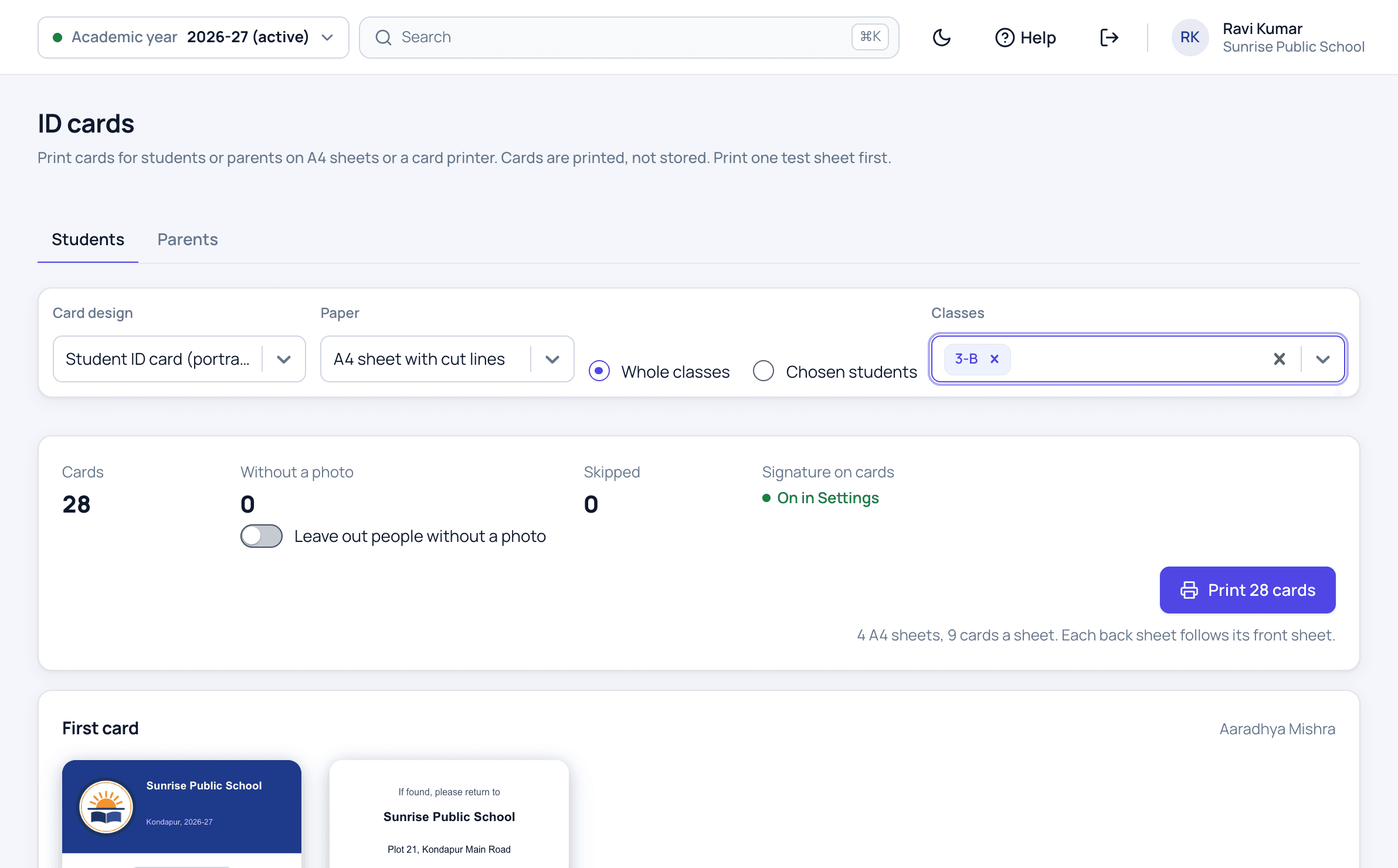
Student ID cards features
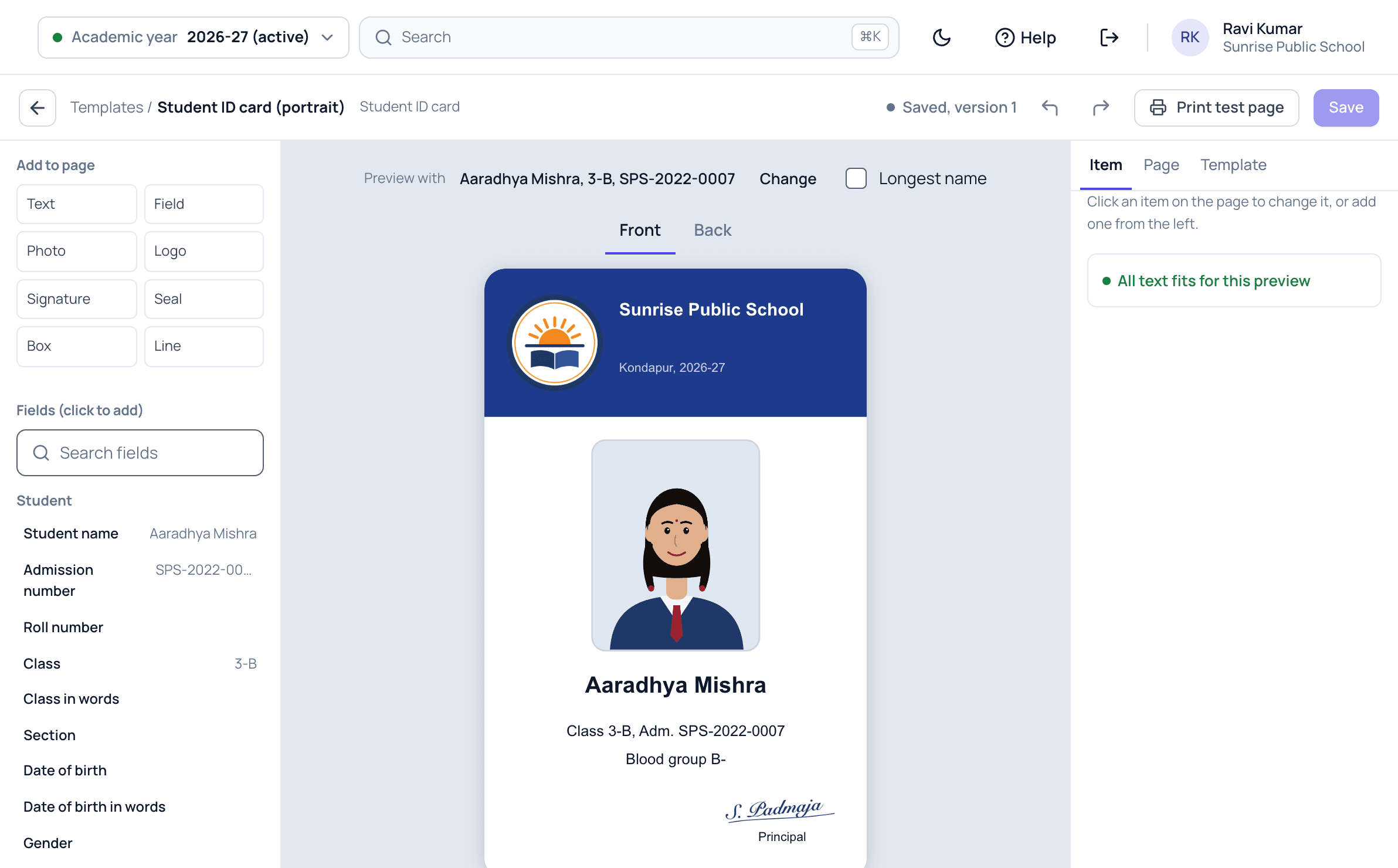
Design the card once, front and back, with the student's photo, class, admission number, blood group and the school's details. Upload the photographer's folder in one go, and each photo is matched to its student by admission number. Then print the cards for a class or the whole school on A4 sheets with cut lines, or on a card printer. A parent card lists the parent's children who study at the school.
This module is part of Patashala360, school management software for Indian schools. It works on the same records as the other school ERP modules, so the office never types the same detail twice.
- Student cards, portrait or landscape, and parent cards
- Front and back, designed on screen
- The photographer's photos uploaded in one go, matched by admission number
- A count of students without a photo, and the choice to leave them out
- A class, several classes or chosen students
- Up to 500 cards in one print
- A4 sheets with cut lines, or one card at a time on a card printer
- The principal's signature printed if you choose
How it works
-
Upload the photos
Ask the photographer to name each photo by admission number, then upload the whole folder. Each photo is matched to its student before anything is saved.
-
Design the card
Place the photo, name, class, admission number and blood group on the front, and the school's address and phone on the back.
-
Print by class
Choose the classes or the students, see who has no photo yet, and print on A4 sheets with cut lines or on a card printer.
Student ID cards screens
Student ID cards: common questions
How do we add photos for the whole school?
Ask the photographer to name each file by the student's admission number, such as ADM-24-001.jpg, and add _F, _M or _G for the father, mother or guardian. Upload the folder, check the matches on screen, and upload them in one go.
Do we need a card printer?
No. Cards print on A4 sheets with cut lines on any office printer, with the backs on the next sheet for double-sided cards. A card printer works too, one card side a page.
What happens when a student's photo or class changes?
Nothing to redo. Cards are printed from the student's record each time, so the next print shows the new photo and class.
Related school ERP modules
Transfer certificates (TC)
Transfer certificates in the CBSE format or your own, filled from the student's records and numbered in your TC series.
Transfer certificate (tc) softwareBonafide and other certificates
Bonafide, study, conduct, merit and sports certificates, for one student or a whole class, on your own design.
Bonafide certificate software for schoolsAdmission enquiries
Record every walk-in and phone enquiry, and see which families to call back today.
Admission enquiry management softwareAll 40+ modules come in one price. Before you choose any school ERP, read how to choose the best school management software in India.
See Patashala360 with your school's data
Tell us your school name, town and number of students. We will call you to fix a time for the demo.
Or write directly to hello@patashala360.com