
Year-end
Student Promotion Software for Schools
Move the whole school to the next class in one step, and undo it if anything looks wrong.
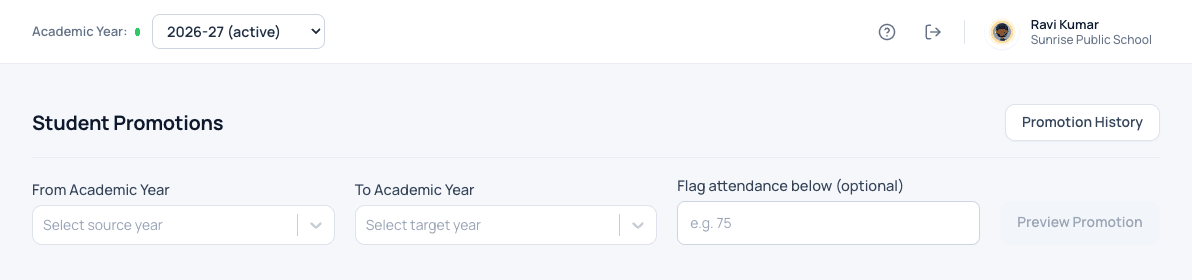
What student promotion does for your school
Promotion is the biggest job of the school year. You see exactly which student moves to which class before anything changes, then promote everyone in one step. If something looks wrong afterwards, the whole promotion can be undone.
- See who moves where before anything changes
- Promote the whole school in one step
- Undo the whole promotion if something is wrong
- Unpaid fees carried into the new year
- Bus places checked before promotion, with clear warnings
How it works
Student promotion in three steps
-
Preview
Choose the year you are leaving and the year you are moving to. See exactly which student goes to which class, and flag low attendance if you want.
-
Promote
Move the whole school to the next class in one step, with unpaid fees carried forward.
-
Undo if needed
If something looks wrong afterwards, undo the whole promotion and run it again.
What changes
What your school gets from it
- The biggest job of the year takes minutes, not a week.
- Nothing changes until you have seen the result.
- A mistake can be reversed, not repaired by hand.
Questions
Student promotion: common questions
What if a child should repeat a class?
In the preview you can keep any student in the same class, or mark them as passed out, before promoting.
What happens to unpaid fees?
Unpaid dues are carried into the new year automatically, so nothing is lost.
Works together with
Academic years
Open, run and close each academic year, with every year's records kept safe.
Academic Year Management for SchoolsAdmission enquiries
Turn every walk-in and phone call into a tracked enquiry, and never lose an admission to a missed follow-up.
Admission Enquiry Management SoftwareStudent information
One complete profile for every child, carried from class to class for as long as they study with you.
Student Information System for SchoolsStudent promotion is one of 24 modules ready today in Patashala360, school management software built for schools in India. Every module works on the same student, class and fee records, so nothing is typed twice. If you are comparing options, read how to choose the best school management software in India.
Ready to see it on your own school's data?
Send us your school name, your city and roughly how many students you have. We will set up a walkthrough with your numbers in it, not a generic slide deck.
Or write directly to hello@patashala360.com