
Staff & administration
Staff management software for schools
Teaching and non-teaching staff, their roles, and their own secure logins.
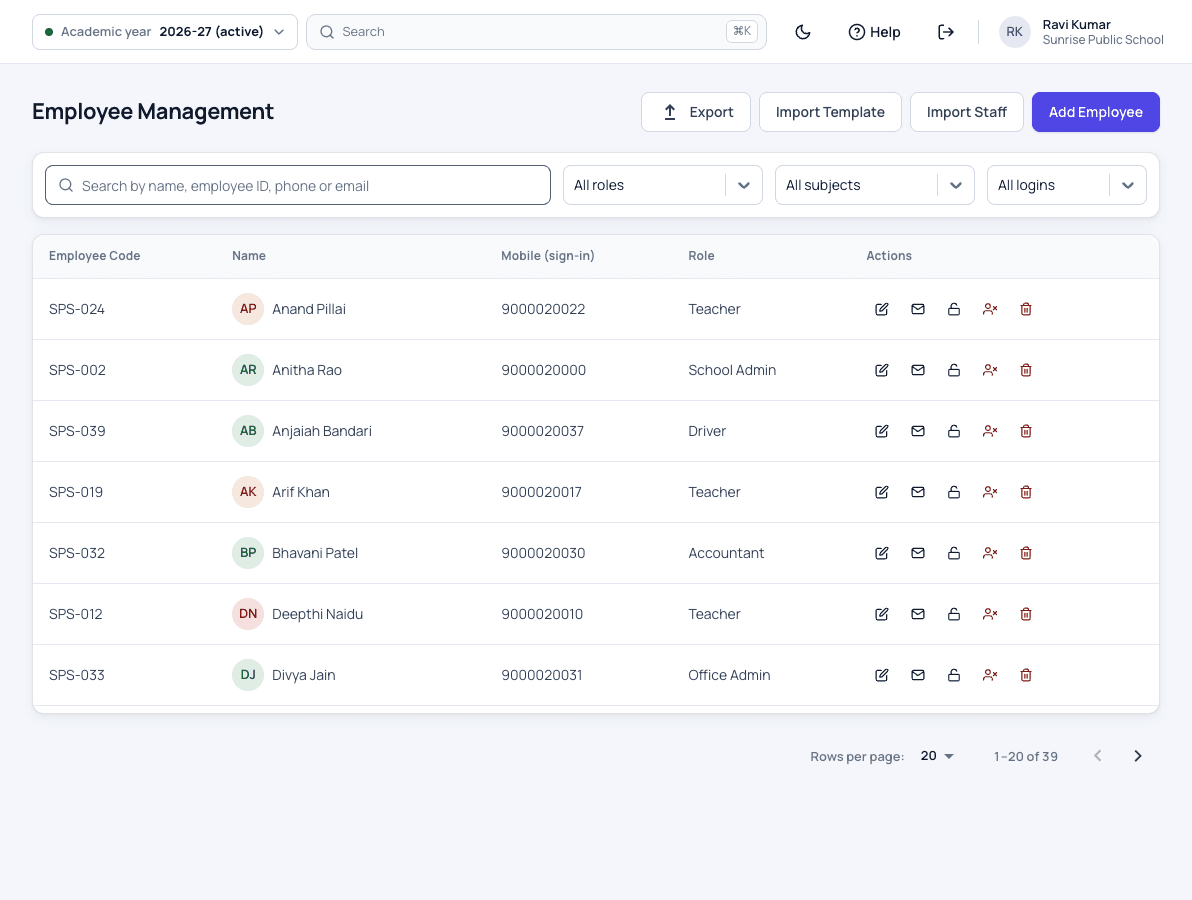
Staff management features
Every member of staff has a profile and their own login, so each action is tied to one person. New staff get an email link to set their own password, and no password is ever sent by email. When someone leaves, their classes and buses are handed over first, and removing them signs them out at once.
This module is part of Patashala360, school management software for Indian schools. It works on the same records as the other school ERP modules, so the office never types the same detail twice.
- Profiles for teaching and non-teaching staff
- Employee codes given automatically in your own format
- Every employee gets their own login, set up from an emailed link
- Password reset by the office when email cannot reach someone
- Classes and buses handed over before someone is removed
- Removed staff signed out at once
How it works
-
Add or import staff
Add teaching and non-teaching staff one by one or import them from Excel, with employee codes in your format.
-
Give each a login
Every employee signs in with their own mobile number, and sets their password from a link sent by email.
-
Hand over before leaving
When someone leaves, their classes and buses are handed over first, and removing them signs them out at once.
Staff management: common questions
How do staff sign in?
With their own mobile number and a password they set themselves. No password is ever sent by email.
Can we import our staff list?
Yes. Download the staff template, fill it in and import up to 10,000 rows per file.
Related school ERP modules
Staff leave
Staff ask for leave, the right person approves it, and the absent teacher's lessons are covered.
Staff leave management for schoolsRoles & permissions
28 ready-made roles, from correspondent to warden, so each person sees only what their job needs.
Staff roles and access control for schoolsNotices & announcements
Post a notice once, and it reaches exactly the people it is meant for.
School notice board and announcementsAll 30 modules come in one price. Before you choose any school ERP, read how to choose the best school management software in India.
See Patashala360 with your school's data
Tell us your school name, town and number of students. We will call you to fix a time for the demo.
Or write directly to hello@patashala360.com