
Fees & finance
School accounting software with Tally export
Expenses, the day's cash, bank deposits, cheques and other income, with an Excel file your accountant brings into Tally.
Accounts and Tally export features
Money that comes in or goes out is recorded in the same software as your fees. At the end of each day the cashier closes the day against the cash book, and money taken to the bank is recorded as a deposit. Cheques are followed until they clear, money received outside fees gets its own receipt number, and the accountant downloads a Tally Excel file using the school's own ledger names.
This module is part of Patashala360, school management software for Indian schools. It works on the same records as the other school ERP modules, so the office never types the same detail twice.
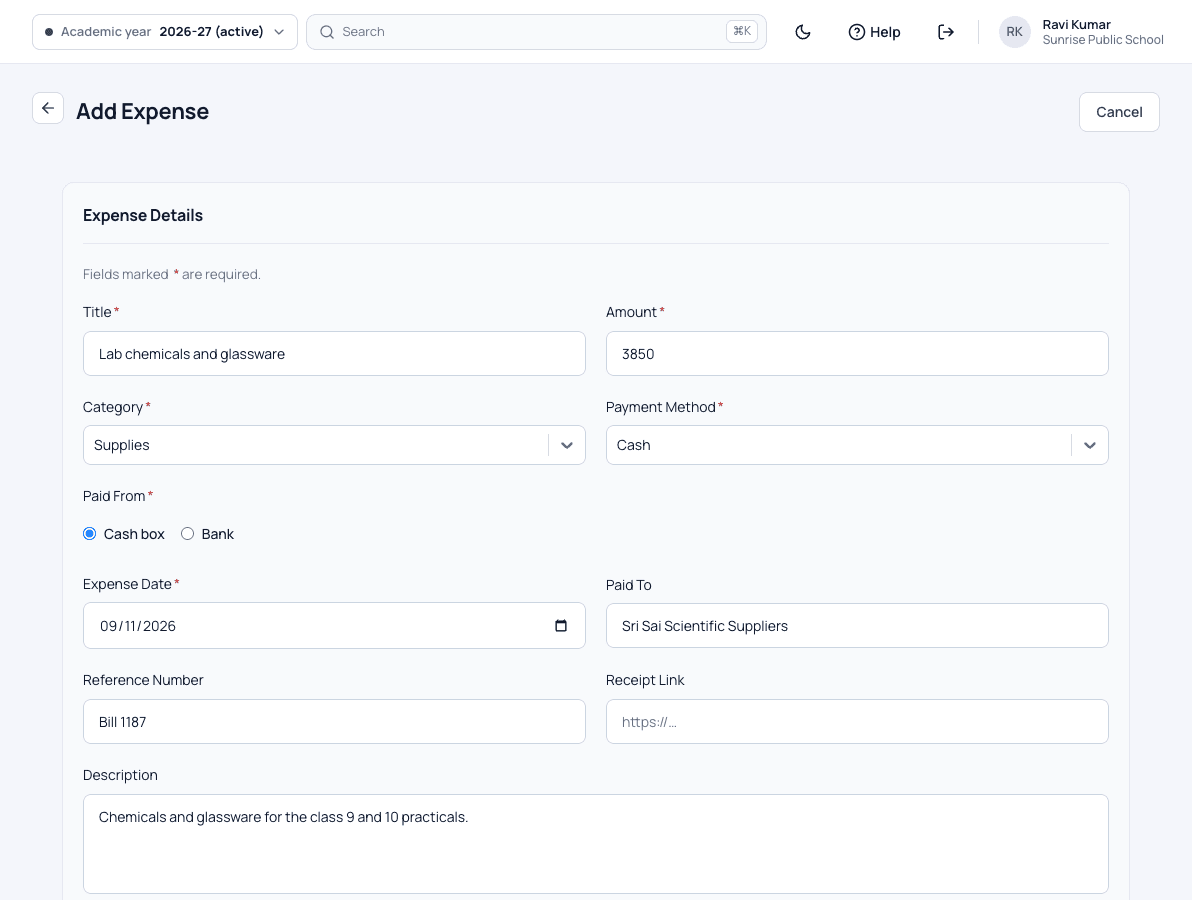
- Expenses against your own categories, with bills attached
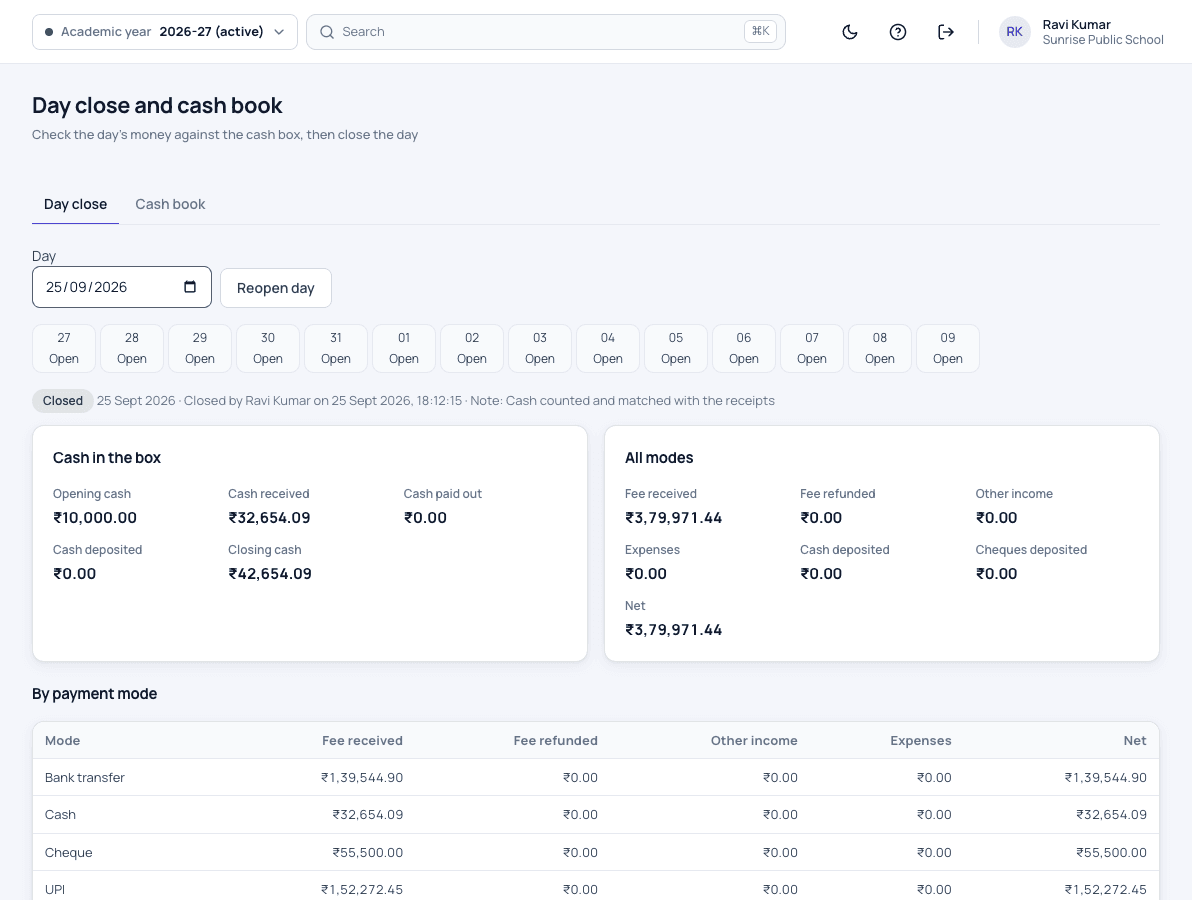
- Day close: the day's cash checked against the cash book
- A closed day cannot be changed by mistake
- Bank deposits with a deposit slip
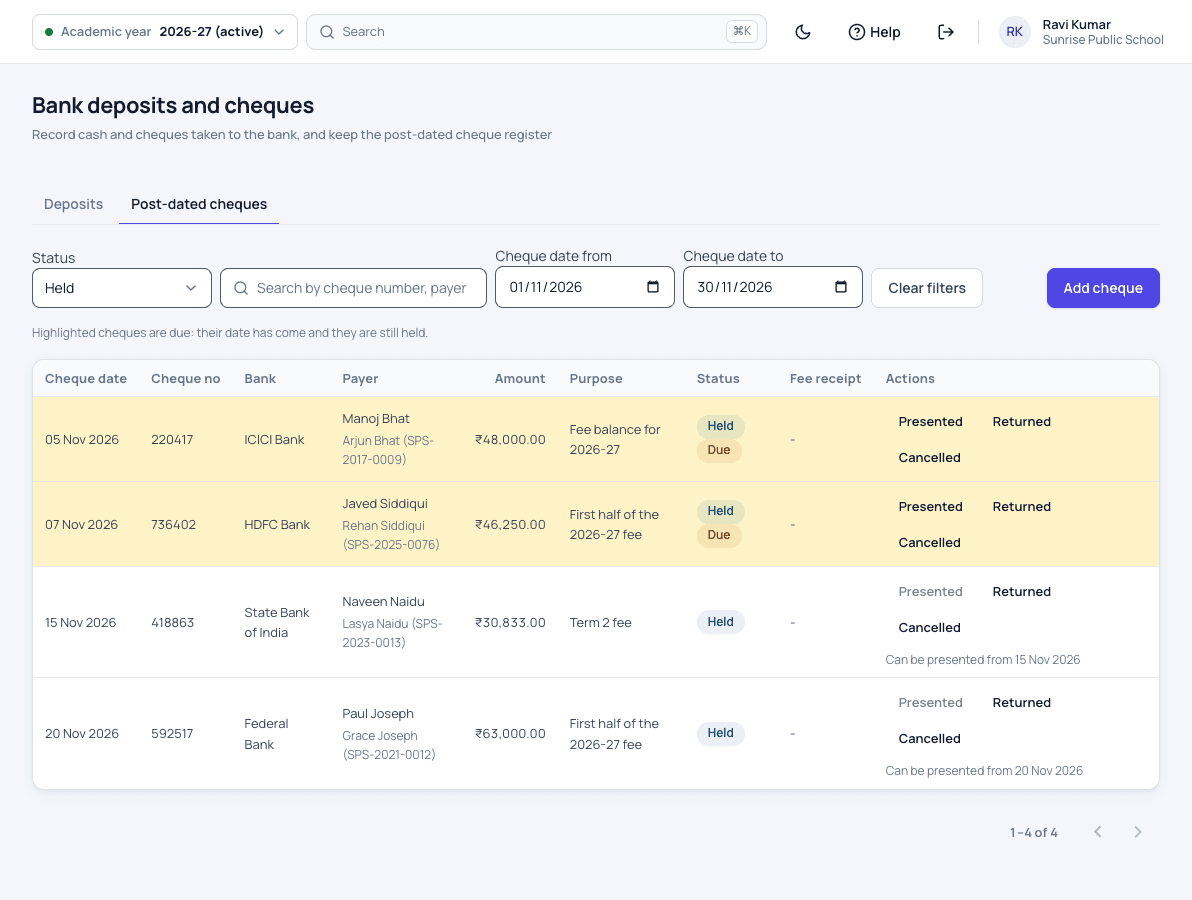
- Cheques followed by status until they clear
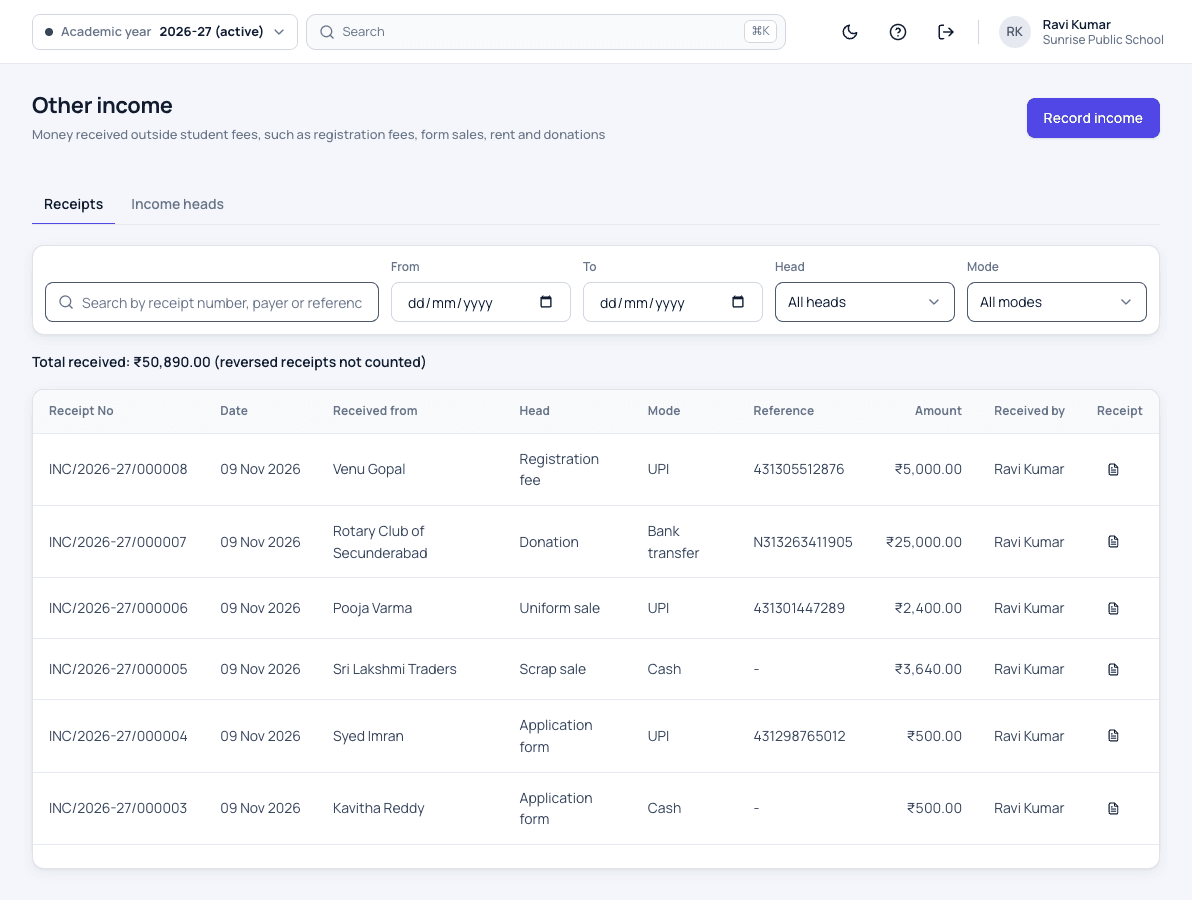
- Other income, received outside fees, with its own receipt number
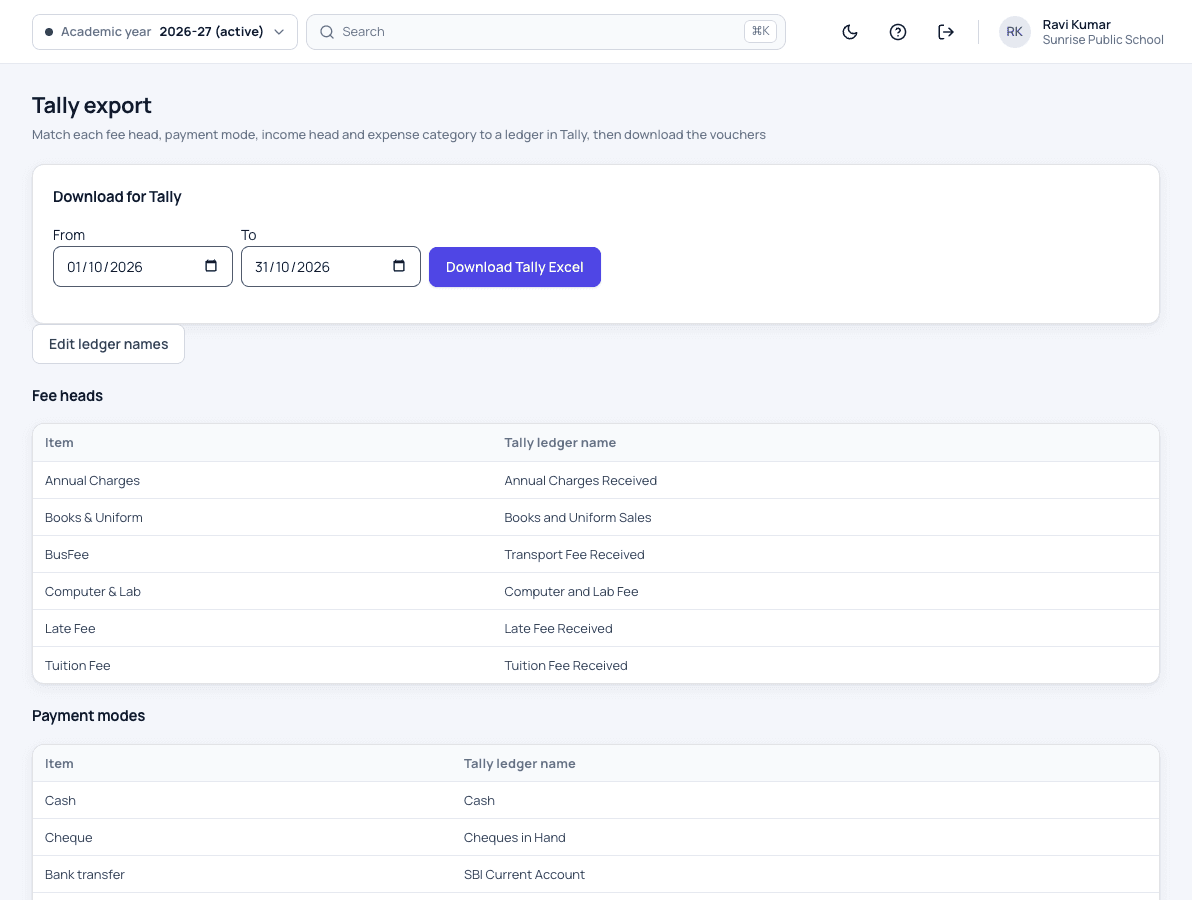
- A Tally Excel file, with fee heads mapped to your own ledgers
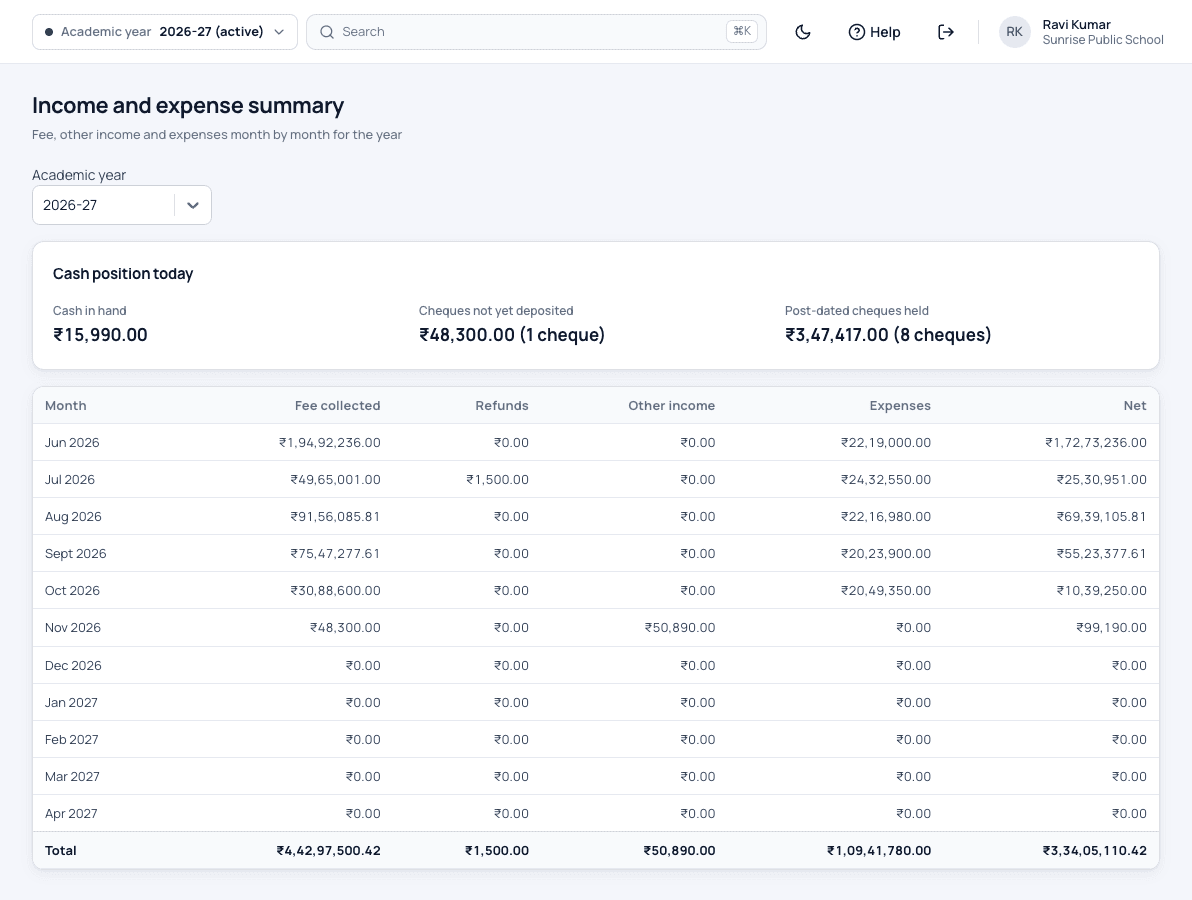
- A finance summary for the management
How it works
-
Close the day
The cashier checks the day's cash against the cash book and closes the day. A closed day cannot be changed by mistake.
-
Bank and cheques
Money taken to the bank is recorded as a deposit with its slip, and each cheque is followed until it clears.
-
Give the accountant Tally
Map your fee heads to your Tally ledgers once, then download the Tally Excel file whenever the accountant needs it.
Accounts and Tally export screens
Accounts and Tally export: common questions
Does it work with Tally?
Yes. Your accountant downloads a Tally Excel file of the school's money, with your fee heads mapped to your own ledger names, so receipts are not typed again.
Can a closed day be changed?
Not by mistake. If a correction is needed, someone allowed to do it reopens the day first.
Can we attach bills to expenses?
Yes. A photo or scan of the bill is kept with the expense, under the category your school chose.
Can we record money that is not a fee?
Yes. Money received outside fees is recorded as other income, with its own receipt number.
Related school ERP modules
Tuition fee certificates
Tuition fee certificates for parents' income tax returns, printed for a whole class or one child.
Tuition fee certificate for income taxFee management
Collect class-wise fees in full or in parts, give concessions and print a receipt with your logo.
School fee management softwareFee reports & dues
Know every day what was collected, how it was paid, and who still owes what.
School fee reports and dues trackingAll 30 modules come in one price. Before you choose any school ERP, read how to choose the best school management software in India.
See Patashala360 with your school's data
Tell us your school name, town and number of students. We will call you to fix a time for the demo.
Or write directly to hello@patashala360.com