
Academics
Student Attendance Management System
Daily attendance in a few taps, with a clear record for every student across the year.
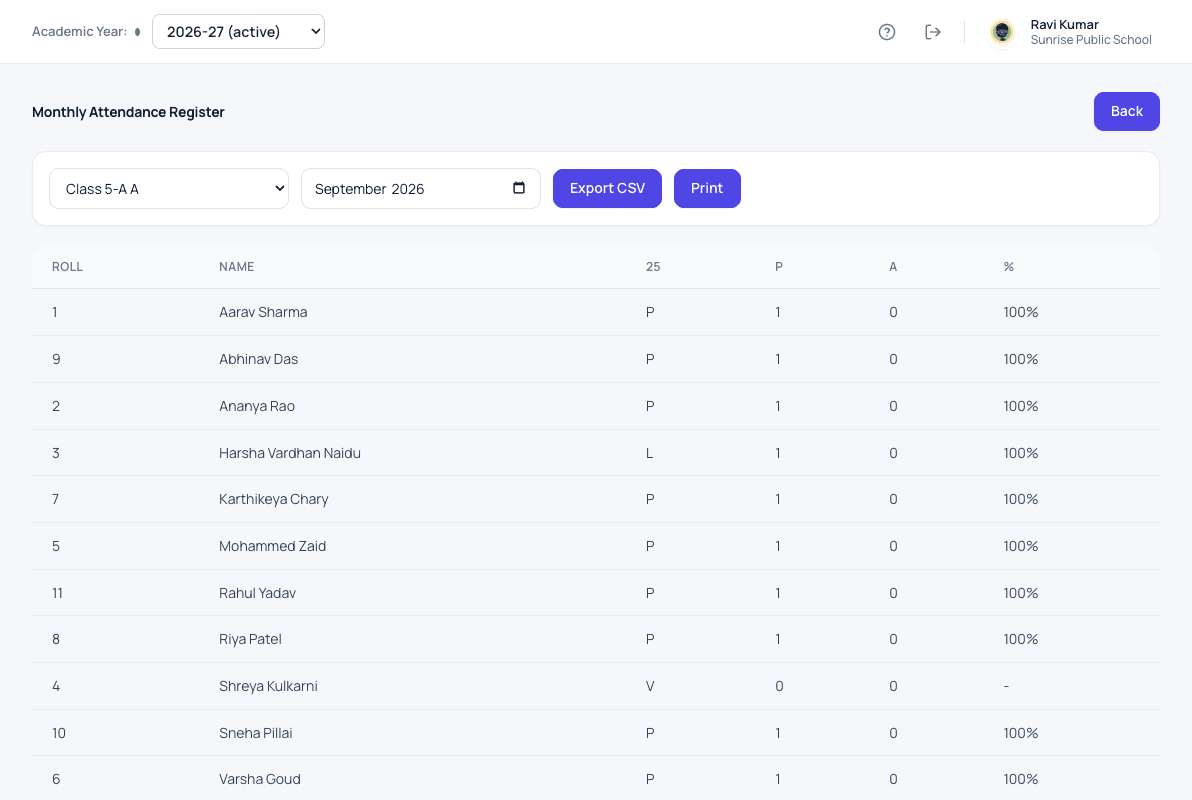
What student attendance does for your school
The class teacher marks the register from the current class list, so a child who has left or moved section is never marked by mistake. Attendance cannot be marked on a holiday or a Sunday unless a senior member of staff allows it. Every correction is recorded, so the register can be trusted in a parent meeting.
- Daily register marked by the class teacher
- An in-charge teacher marks it on leave days
- Holidays and Sundays blocked unless a senior allows it
- Corrections recorded, never hidden
- A full-year attendance report for every student
- Absence alerts to parents through the app, once it launches
How it works
Student attendance in three steps
-
Mark the register
The class teacher opens today's class list and marks present, absent or leave in a few taps.
-
Correct when needed
A correction is saved with who made it and when, so the register can be trusted in a parent meeting.
-
Read the month and year
The monthly register prints for the file, and each student's attendance percentage is ready for report cards.
What changes
What your school gets from it
- No paper register to total at the end of the month.
- A child who has left or moved section is never marked by mistake.
- Attendance figures reach report cards and promotion without copying.
Questions
Student attendance: common questions
Can attendance be marked on a holiday?
Not by mistake. Sundays and holidays on the school calendar are blocked unless a senior member of staff allows it.
Can we print the monthly register?
Yes. The monthly register prints class by class, and can also be downloaded for your records.
Will parents be told when a child is absent?
Once the parent app launches, parents get a phone notification when their child is marked absent.
Works together with
Classes & sections
Set up your classes and sections once a year, each with its own class teacher.
Class & Section Management for SchoolsSubjects & teachers
Keep the subject list for every class, and know which teacher handles each one.
Subject & Teacher Allocation for SchoolsHomework
Teachers set homework, students submit it, and teachers reply with feedback.
Homework Management Software for SchoolsStudent attendance is one of 24 modules ready today in Patashala360, school management software built for schools in India. Every module works on the same student, class and fee records, so nothing is typed twice. If you are comparing options, read how to choose the best school management software in India.
Ready to see it on your own school's data?
Send us your school name, your city and roughly how many students you have. We will set up a walkthrough with your numbers in it, not a generic slide deck.
Or write directly to hello@patashala360.com