
Academics
Subject & Teacher Allocation for Schools
Keep the subject list for every class, and know which teacher handles each one.
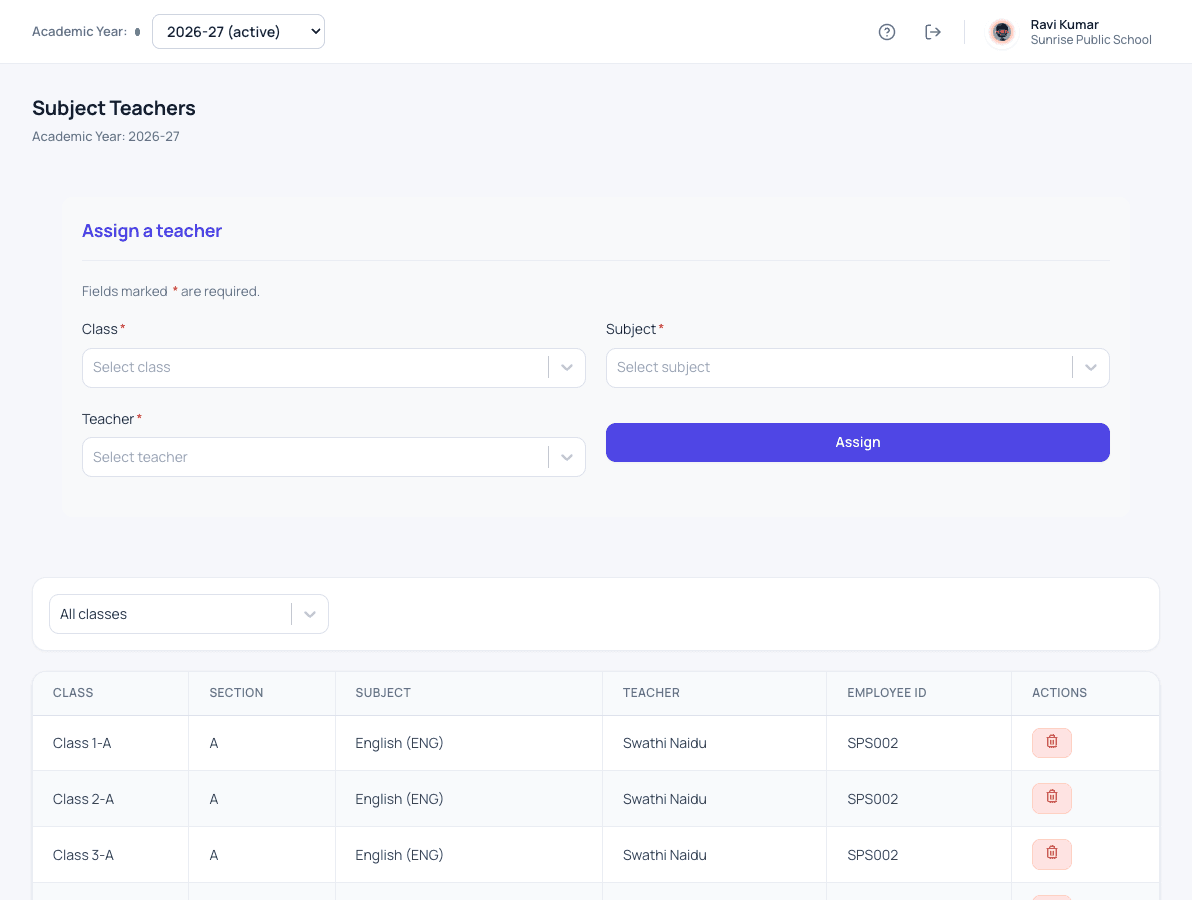
What subjects & teachers does for your school
Each academic year has its own subject list, so a change this year never disturbs last year. Every subject in every class is given to a teacher, and that decides which classes the teacher sees and which marks they enter.
- A subject list for each academic year
- Subjects chosen for each class
- A teacher for every subject in every class
- Teachers see only the classes and subjects they handle
- The same subjects carry into exams and report cards
How it works
Subjects & teachers in three steps
-
Set the subject list
Each academic year has its own list of subjects, so this year's changes never disturb last year.
-
Choose subjects per class
Pick which subjects each class studies.
-
Assign the teacher
Give every subject in every class to a teacher. That decides which classes they see and which marks they enter.
What changes
What your school gets from it
- Teachers see only the classes and subjects they actually teach.
- Exams and report cards use the same subjects without re-entry.
- The timetable owner knows every teacher's load.
Questions
Subjects & teachers: common questions
Can one teacher handle several classes?
Yes. A teacher can be assigned the same or different subjects in as many classes as needed.
Do subjects carry into exams?
Yes. The subjects of each class are the ones that appear in its marks entry and report cards.
Works together with
Classes & sections
Set up your classes and sections once a year, each with its own class teacher.
Class & Section Management for SchoolsStudent attendance
Daily attendance in a few taps, with a clear record for every student across the year.
Student Attendance Management SystemHomework
Teachers set homework, students submit it, and teachers reply with feedback.
Homework Management Software for SchoolsSubjects & teachers is one of 24 modules ready today in Patashala360, school management software built for schools in India. Every module works on the same student, class and fee records, so nothing is typed twice. If you are comparing options, read how to choose the best school management software in India.
Ready to see it on your own school's data?
Send us your school name, your city and roughly how many students you have. We will set up a walkthrough with your numbers in it, not a generic slide deck.
Or write directly to hello@patashala360.com