
Staff & administration
Biometric staff attendance for schools
Staff attendance straight from your biometric device, with shifts, late marks, leave and a month summary for salaries.
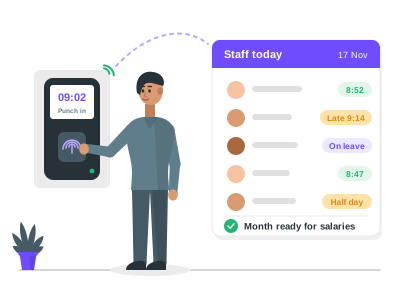
Staff attendance and biometric features
Connect the school's fingerprint or face device once, and every punch reaches Patashala360 on its own. Most eSSL and ZKTeco devices send punches directly over the internet, with no office PC left on; other devices and attendance software connect through a secure API token. Each day is worked out from the punches, the staff member's shift, approved leave and the school calendar, so the office no longer copies registers by hand. Staff without a device are marked by the office, and every correction keeps a reason and a history. At month end the office closes the month, and the summary is ready for salaries.
This module is part of Patashala360, school management software for Indian schools. It works on the same records as the other school ERP modules, so the office never types the same detail twice.
- Punches straight from eSSL and ZKTeco devices, with no office PC needed
- Any other device or attendance software through a secure API token
- Shifts with your own timings, weekly offs and holidays
- Present, half day, absent, on duty or on leave, worked out every day
- Late arrival, early departure and missed punches flagged
- Approved leave counted automatically, and leave beyond the limit shown as unpaid
- Office marking for staff without a device, with a reason and a history
- Month close with a summary per staff member, downloaded for salaries
- Each member of staff sees their own attendance in the app
- Punches kept on the device during an internet cut and sent when it is back
- Fingerprints and face images stay on the device
How it works
-
Connect the device
Add the biometric device by its serial number and type the server address on it once. Software on the office PC can send punches with an API token instead.
-
Set shifts and rules
Set shift timings, weekly offs and how each person is tracked: by the device, by the office, or not at all.
-
See each day
Every day is worked out from the punches, the shift, approved leave and the school calendar, with late arrivals and missed punches flagged.
-
Close the month
At month end the office closes the month. The summary for each staff member is frozen and downloaded for salaries.
Staff attendance and biometric: common questions
Which biometric devices work with Patashala360?
Most eSSL and ZKTeco devices bought in the last few years send punches directly over the internet, with no office PC left on. Any other device or attendance software, such as eTimeTrack, connects through a secure API token.
Do you store our staff's fingerprints?
No. Fingerprints and face images stay on the device. Patashala360 receives only the staff member's device ID and the time of each punch.
What happens when the internet is down?
The device keeps the punches in its memory and sends them when the internet is back. Nothing is lost.
Can the office correct a day?
Yes, with a reason, and every change keeps a history. Days with device punches are locked by default, and the school admin decides whether the office may change them.
Is leave counted automatically?
Yes. Approved staff leave is counted on the right days, and leave beyond a person's limit is shown as unpaid.
Can staff see their own attendance?
Yes. Each member of staff sees their own days in the Patashala360 app, in English, Telugu and Hindi.
Related school ERP modules
Roles & permissions
28 ready-made roles, from correspondent to warden, so each person sees only what their job needs.
Staff roles and access control for schoolsNotices & announcements
Post a notice once, and it reaches exactly the people it is meant for.
School notice board and announcementsAutomatic numbering
Admission numbers, roll numbers and employee codes given automatically, in your school's own format.
Admission and roll number generatorAll 35+ modules come in one price. Before you choose any school ERP, read how to choose the best school management software in India.
See Patashala360 with your school's data
Tell us your school name, town and number of students. We will call you to fix a time for the demo.
Or write directly to hello@patashala360.com