
Year-end
Academic Year Management for Schools
Open, run and close each academic year, with every year's records kept safe.
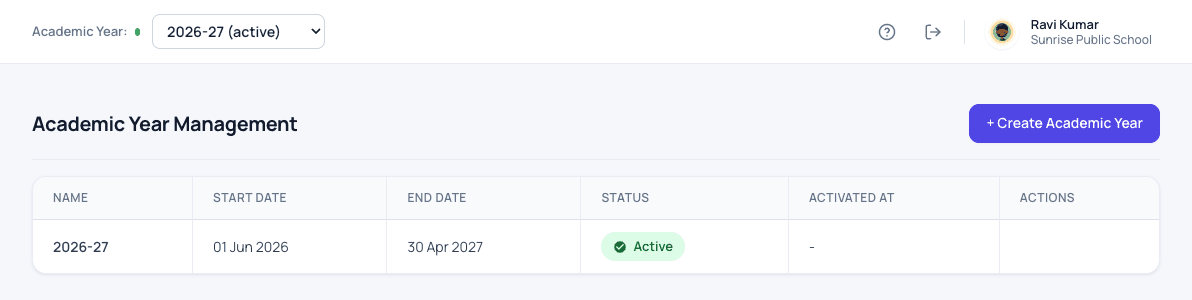
What academic years does for your school
Each academic year is opened with its own dates, classes, fees and calendar. Last year's records are never overwritten, so you can always look back. Mistakes such as overlapping years or a year that ends before it starts are stopped straight away.
- Open, start and close each academic year
- Past years kept exactly as they were
- Year rollover to prepare the next year
- Checks that stop overlapping or impossible year dates
How it works
Academic years in three steps
-
Create the year
Set the new academic year's start and end dates.
-
Prepare it
Classes, fees, subjects and the calendar for the new year are set up before it starts.
-
Switch over
Make the new year active when school reopens. Every past year stays exactly as it was.
What changes
What your school gets from it
- Last year's records are never overwritten by this year's work.
- Overlapping or impossible year dates are stopped straight away.
- Any past year can be opened and read at any time.
Questions
Academic years: common questions
Can we look at last year's records?
Yes. Pick the year at the top of the screen to see its classes, fees, attendance and results as they were.
Can we prepare next year while this year is running?
Yes. The next year can be created and set up in advance, then made active when it starts.
Works together with
Student promotion
Move the whole school to the next class in one step, and undo it if anything looks wrong.
Student Promotion Software for SchoolsAdmission enquiries
Turn every walk-in and phone call into a tracked enquiry, and never lose an admission to a missed follow-up.
Admission Enquiry Management SoftwareStudent information
One complete profile for every child, carried from class to class for as long as they study with you.
Student Information System for SchoolsAcademic years is one of 24 modules ready today in Patashala360, school management software built for schools in India. Every module works on the same student, class and fee records, so nothing is typed twice. If you are comparing options, read how to choose the best school management software in India.
Ready to see it on your own school's data?
Send us your school name, your city and roughly how many students you have. We will set up a walkthrough with your numbers in it, not a generic slide deck.
Or write directly to hello@patashala360.com