
Fees & finance
School Expense Management Software
Record what the school spends, so income and spending sit side by side.
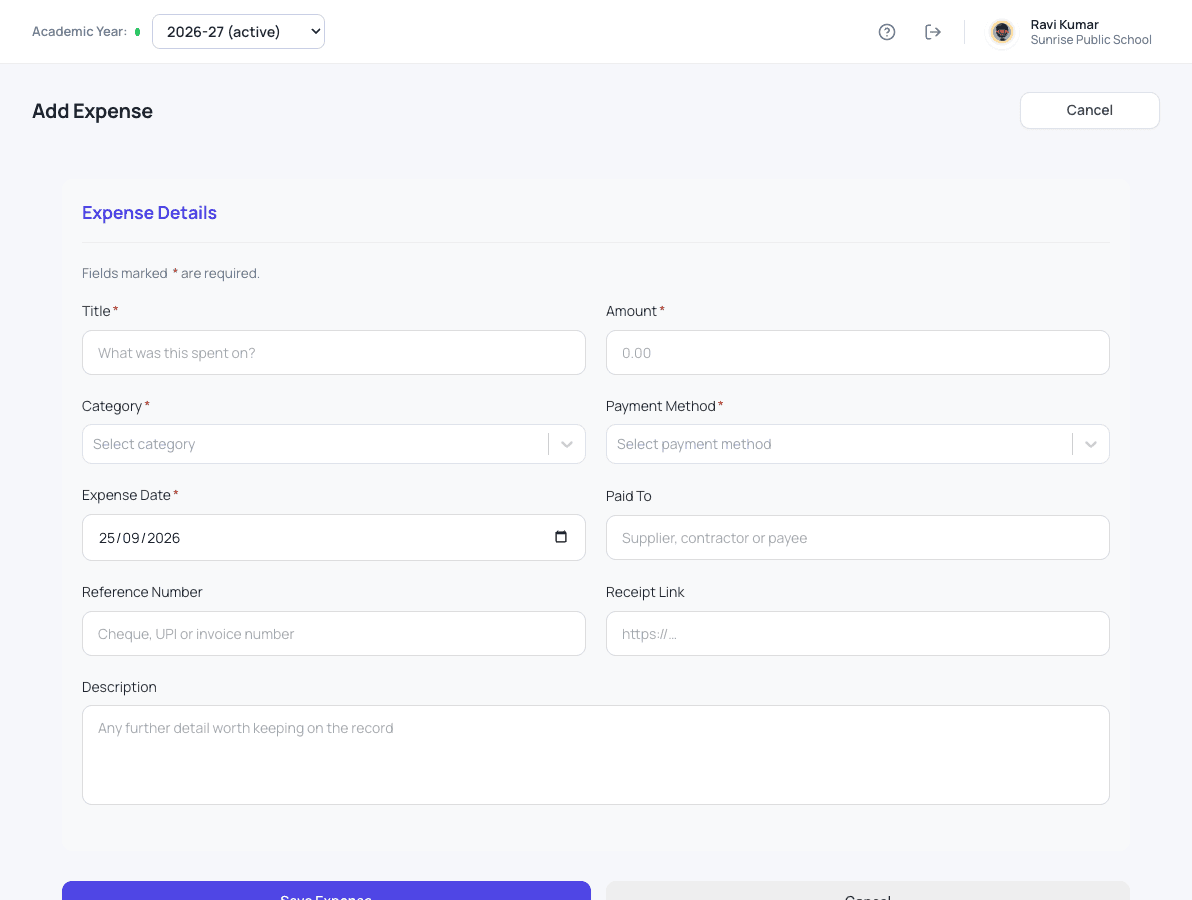
What expenses does for your school
The office records each expense against a category the school chooses, such as maintenance, events or stationery. Expenses belong to the academic year, so the year's fee collection and spending can be read together without a second register.
- Expenses recorded against your own categories
- Entries edited and corrected when needed
- A full year of expenses in one list
- Spending kept in the same academic year as fee collection
How it works
Expenses in three steps
-
Record the spend
Note what was bought, the amount, the category, the payment method and who was paid.
-
Keep the proof
Add the cheque, UPI or invoice number and a link to the receipt.
-
Read the year
Expenses sit in the same academic year as fee collection, so income and spending are read together.
What changes
What your school gets from it
- No separate expense register to maintain.
- Every expense has a category and a reference.
- The correspondent sees what the school spent and on what.
Questions
Expenses: common questions
Can we use our own expense categories?
Yes. Choose categories that suit your school, such as maintenance, events or stationery.
Can an expense be corrected later?
Yes. Entries can be edited when a detail was wrong.
Works together with
Fee management
Collect fees with confidence: class-wise fees, part payments, concessions and a printed receipt with your logo.
School Fee Management SoftwareFee reports & dues
Know every day what was collected, how it was paid, and who still owes what.
School Fee Reports & Dues TrackingAdmission enquiries
Turn every walk-in and phone call into a tracked enquiry, and never lose an admission to a missed follow-up.
Admission Enquiry Management SoftwareExpenses is one of 24 modules ready today in Patashala360, school management software built for schools in India. Every module works on the same student, class and fee records, so nothing is typed twice. If you are comparing options, read how to choose the best school management software in India.
Ready to see it on your own school's data?
Send us your school name, your city and roughly how many students you have. We will set up a walkthrough with your numbers in it, not a generic slide deck.
Or write directly to hello@patashala360.com