
Academics
Exam seating arrangement software
Seat students room by room for every exam sitting, and give each room its invigilator.
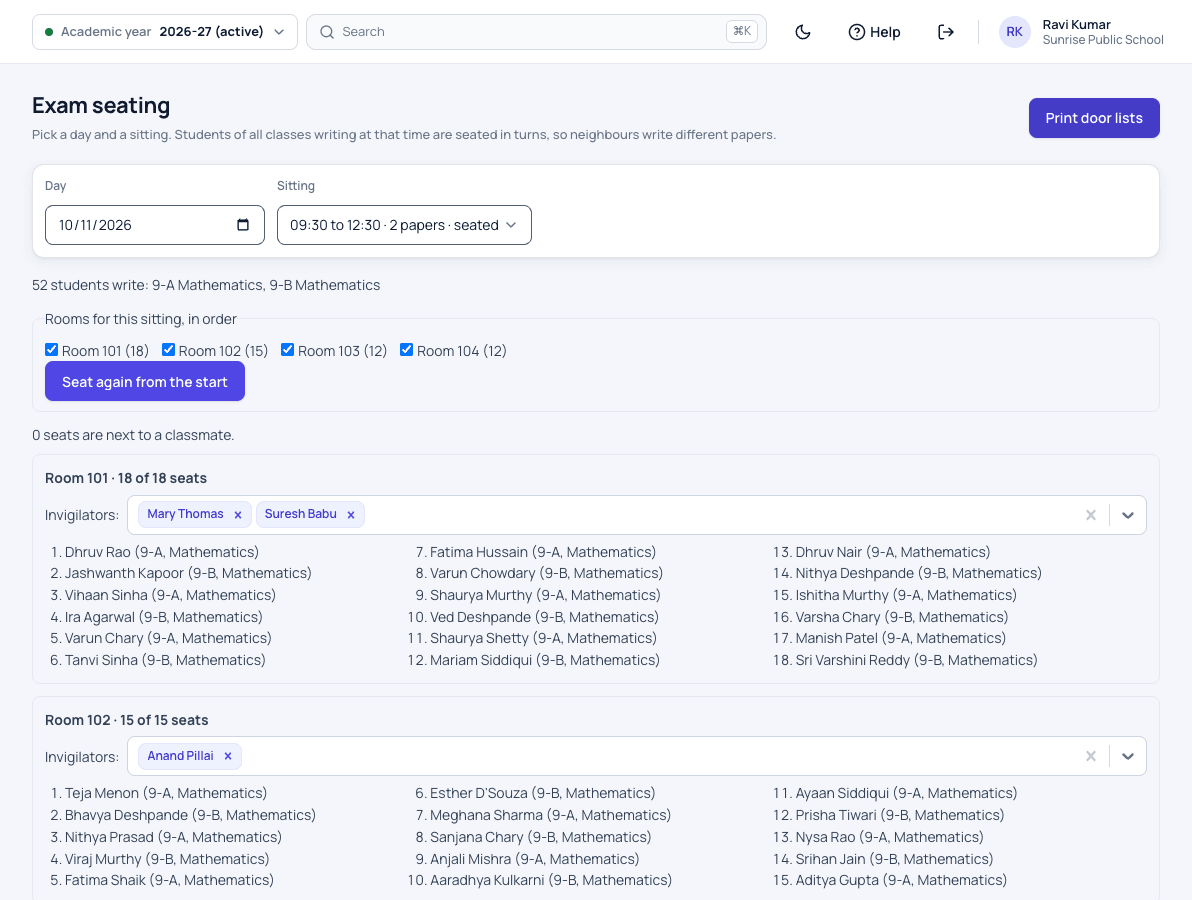
Exam seating and invigilation features
For each exam day and sitting, the students who write a paper are seated room by room, with a seat number each. A student can be moved to another seat, or the whole sitting seated again from the start. Each room gets its invigilator, and nobody can be given two rooms at the same time.
This module is part of Patashala360, school management software for Indian schools. It works on the same records as the other school ERP modules, so the office never types the same detail twice.
- Seating for each exam day and sitting
- Students seated room by room, with seat numbers
- Move one student, or seat the whole sitting again
- An invigilator for each room
- No invigilator given two rooms at the same time
- Teachers see their invigilation duties in the app, once it launches
How it works
-
Pick the sitting
Choose the exam day and sitting. The published papers of that sitting are seated.
-
Seat the rooms
Students who write a paper are seated room by room, each with a seat number. Move one student, or seat the sitting again.
-
Name the invigilators
Give each room its invigilator. A teacher already invigilating at that time cannot be given a second room.
Exam seating and invigilation: common questions
Can we move one student after seating?
Yes. Move a single student to another seat, or seat the whole sitting again from the start.
Can a teacher be put in two rooms by mistake?
No. A teacher already invigilating at that time cannot be given another room.
Do teachers see their duties?
Yes, in the Patashala360 staff app. Launching soon on Android and iPhone.
Related school ERP modules
Classes & sections
Set up your classes and sections once a year, each with its own class teacher.
Class and section management for schoolsSubjects & teachers
Keep the subject list for every class, and know which teacher handles each one.
Subject and teacher allocation for schoolsStudent attendance
Daily attendance in a few taps, with a clear record for every student across the year.
Student attendance management systemAll 30 modules come in one price. Before you choose any school ERP, read how to choose the best school management software in India.
See Patashala360 with your school's data
Tell us your school name, town and number of students. We will call you to fix a time for the demo.
Or write directly to hello@patashala360.com