
Admissions & students
Import School Data from Excel
Bring your existing lists in from Excel, so you start on day one with your real school data.
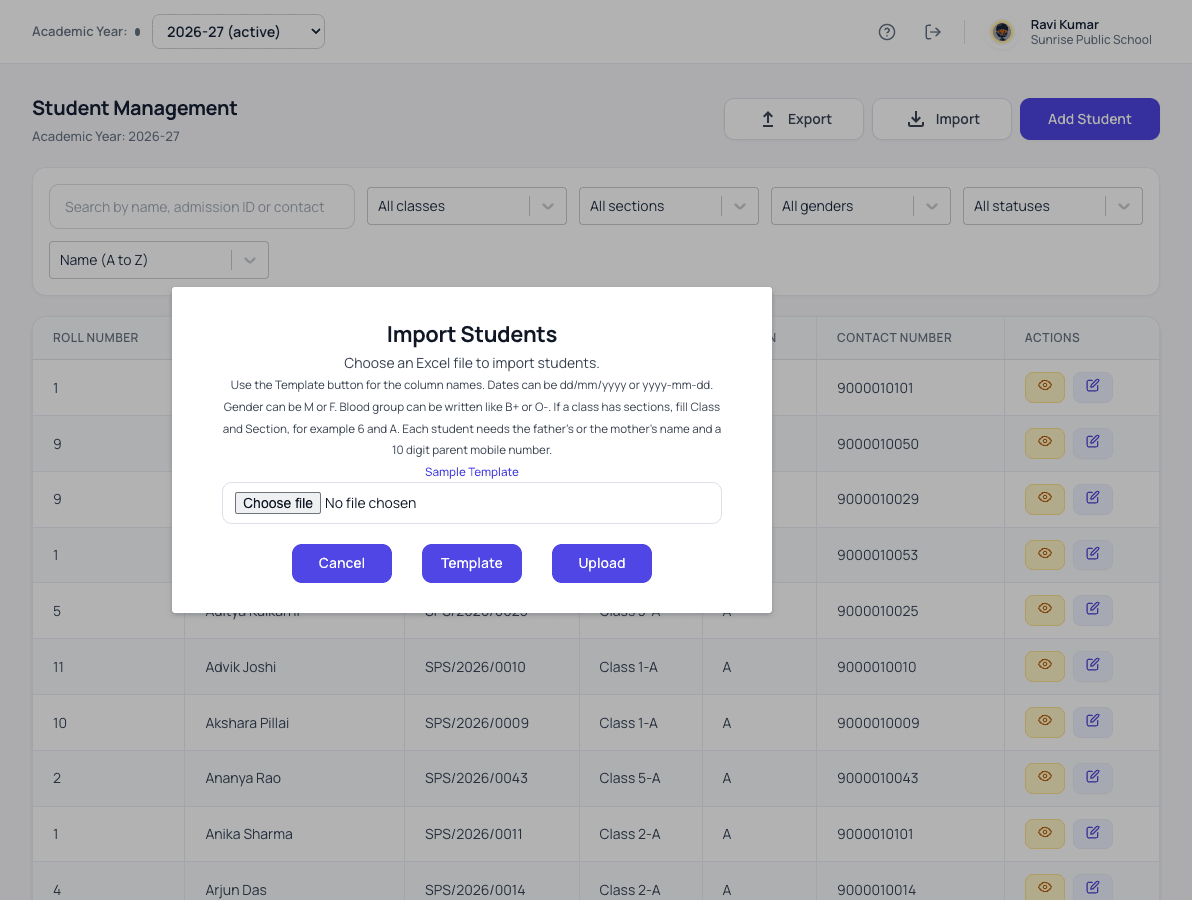
What excel data import does for your school
Lists you already keep in Excel go straight in. Mistakes are shown line by line before anything is saved, so the office fixes them once. Importing the same list again never adds the same student twice.
- Student lists imported from your existing Excel sheets
- Dates, classes and sections read the way school registers write them
- Mistakes shown line by line before anything is saved
- The same student is never added twice
- Opening fee balances uploaded for the whole school at once
- Bus places uploaded from Excel
- A report of every import, kept for the office to check later
How it works
Excel data import in three steps
-
Download the template
Each import has its own Excel template, with the column names the school already uses.
-
Copy your lists in
Dates, classes and sections can be written the way school registers write them, such as 5-A or 25/06/2015.
-
Check and import
Every row is checked first. Mistakes are listed line by line, and the import report stays for the office to review later.
What changes
What your school gets from it
- A school can start with its real data on the first day.
- Importing the same list twice never creates duplicate students.
- Problems are fixed in the sheet, not discovered weeks later.
Questions
Excel data import: common questions
Our Excel lists are untidy. Can we still use them?
Yes. On a paid licence our team enters your existing data at the school. If you import it yourself, each mistake is shown line by line so it is fixed once.
How large can one file be?
One student or staff file can hold up to 10,000 rows. Larger schools import in two or more files, for example by class.
We have an old .xls file. What do we do?
Open it in Excel, choose Save As and pick Excel Workbook (.xlsx), then upload that file.
Works together with
Admission enquiries
Turn every walk-in and phone call into a tracked enquiry, and never lose an admission to a missed follow-up.
Admission Enquiry Management SoftwareStudent information
One complete profile for every child, carried from class to class for as long as they study with you.
Student Information System for SchoolsParents & families
Every family in one place, with one parent login that covers all their children at your school.
Parent & Family Records for SchoolsExcel data import is one of 24 modules ready today in Patashala360, school management software built for schools in India. Every module works on the same student, class and fee records, so nothing is typed twice. If you are comparing options, read how to choose the best school management software in India.
Ready to see it on your own school's data?
Send us your school name, your city and roughly how many students you have. We will set up a walkthrough with your numbers in it, not a generic slide deck.
Or write directly to hello@patashala360.com